
MCP Plaza
MCP Plaza is the core functional module in the platform for centrally managing and invoking pre-configured or custom MCP services (Model Context Protocol). Through standardized protocol design, it seamlessly connects large models with external tools and API services, providing developers with one-stop service management and invocation capabilities.
MCP Plaza provides a large number of Alibaba Cloud official and third-party partner pre-configured MCP services, covering scenarios such as lifestyle information, map navigation, data processing, and content generation. Developers can deploy self-developed or open-source community MCP services to Alibaba Cloud Function Compute (FC) through the plaza, achieving low-cost hosting. MCP services can be directly called by intelligent agents (Agent) or workflow applications without writing complex API code. The MCP protocol is designed as a universal standard, and different large models (such as Tongyi Qianwen, GPT, Claude) can all understand the same MCP interface, and support agents to perform multi-tool combination tasks rather than single function calls. Service deployment, authentication, load balancing, etc., are automatically handled by the platform, lowering the development threshold.
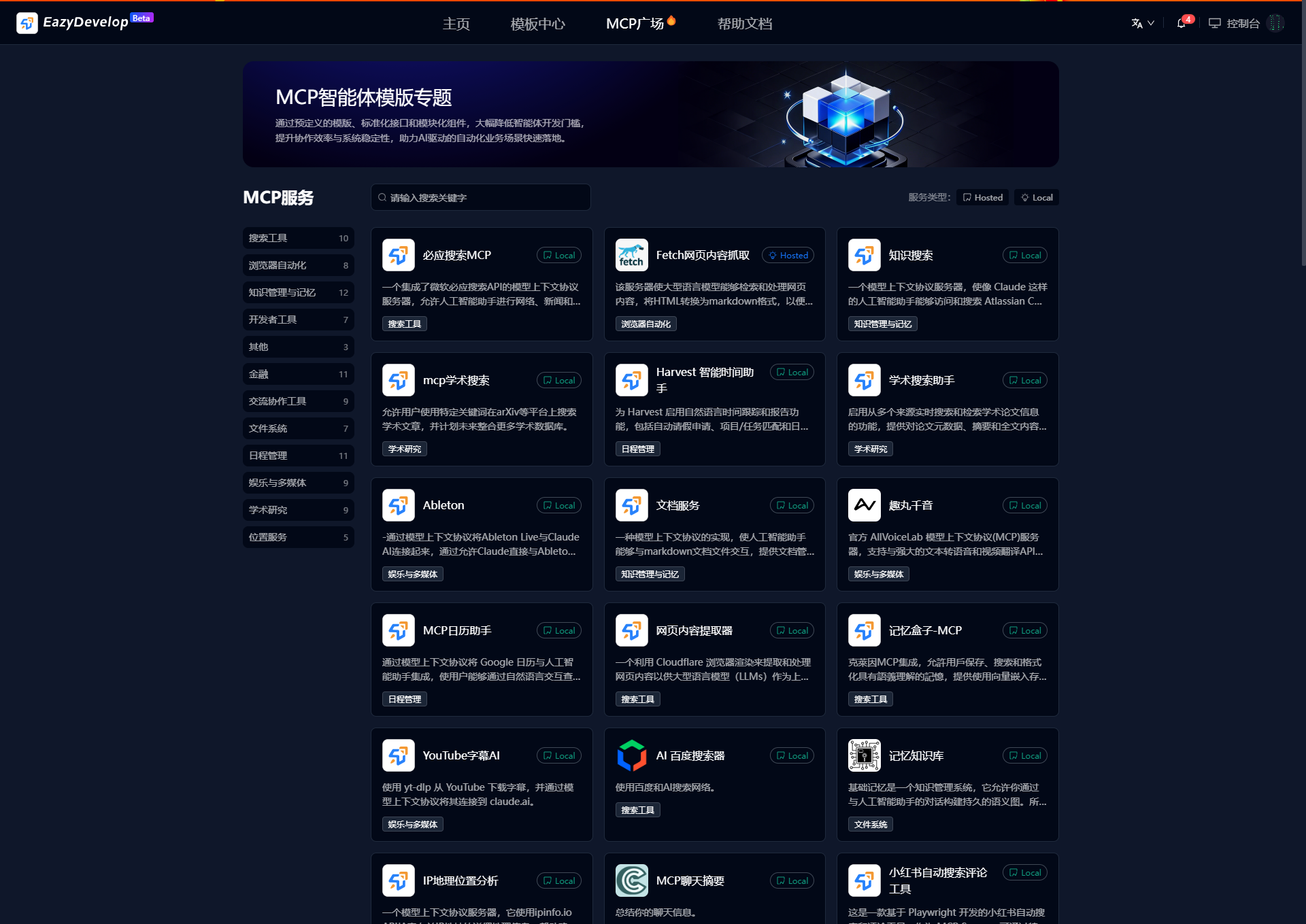
Service Query
The platform provides two efficient ways to locate MCP services, flexibly adapting to users' usage habits:
Intelligent Category Filtering
- Click preset categories such as "Browser Automation", "Knowledge Management and Memory", "File System" to quickly target the scope, avoiding blind searches in massive services
- Supports multi-level tag stacking (e.g., "Finance + Schedule Management + Communication Collaboration Tools") for precise matching of specific needs
Keyword Semantic Search
- Enter any keywords in the search box (e.g., "Summer Promotion Poster", "Financial Analysis Dashboard"), the system automatically suggests high-frequency related words, supporting fuzzy matching (e.g., entering "Resume" can retrieve "Personal CV", "Job Application Template")
Efficient Combination Technique
First narrow down through categories like "Medical → ERP System", then search for "Ophthalmology", completing target filtering in three steps!
Service Details
The MCP service details page is the core entry point for developers to access and use services. Its displayed content covers key information such as service functions, technical parameters, invocation methods, and security management. Here is a detailed analysis:
1. Basic Information
Service Name and Identifier
The service's unique identifier (ID) and name, for example, Amap Navigation Service or Firecrawl Web Crawling.
Service Categories and Tags
- Scenario tags: such as "Lifestyle Services", "Office Collaboration", or "Enterprise Customization"
- Capability tags: such as "Information Retrieval", "Data Analysis", "Automation Processes"
Service Provider
Indicates the service source (platform deployment, third-party vendor, or open-source community).
2. Core Function Description
Capability Overview
Describes service functions in natural language, for example: "Provides real-time navigation, POI retrieval, and route planning based on Amap API".
Input and Output Parameters
- Input: Clearly specifies the parameter format to be passed when the model is called (e.g.,
{"location": "West Lake, Hangzhou"}) - Output: Example of returned data structure (e.g., JSON or specific template)
Invocation Example
Provides natural language trigger examples:
User input: "Help me plan the route from Hangzhou East Station to West Lake."
Model response: Calls MCP service, returns multiple solutions including bus and driving options.
3. Technical Configuration Details
Protocol Compatibility
List of supported models (e.g., Tongyi Qianwen, DeepSeek, GPT-4, etc.) and adaptation status.
Deployment Mode
- Basic Mode: On-demand instance startup, higher cold start latency (about 5 seconds), suitable for low-frequency scenarios
- Extreme Speed Mode: Instances reside in memory, response time <500ms, suitable for high concurrency requirements
Resource Specifications
Function Compute (FC) CPU/GPU configuration (e.g., 2 cores 4GB memory) and timeout limits (maximum 15 minutes).
Billing Mode
Billed by invocation duration accurate to seconds (e.g., 0.000156 yuan/second), indicating cost differences under different modes.
4. Usage Scenarios and Cases
Typical Scenarios
Lists applicable scenarios, for example:
- Enterprise services: Internal order system query API encapsulated as MCP service
- Data integration: Web page crawling through Fetch service + large model summarization + saving to database
Combined Invocation Flowchart
Diagram illustrating the logic of multi-service串联, for example: User question → Call weather service → Generate chart → Call email service to send results.
5. Access and Debugging
Quick Access Guide
Step-by-step instructions on how to bind services to intelligent agents (Agent) or workflows.
Online Testing Tools
Provides a sandbox environment where developers can directly input parameters to simulate calls and view return results.
SDK and Documentation
Download links: Python/Java SDK and OpenAPI documentation (including Swagger UI).
Logs and Monitoring
Displays real-time call logs, success rates, latency statistics, and error code explanations.
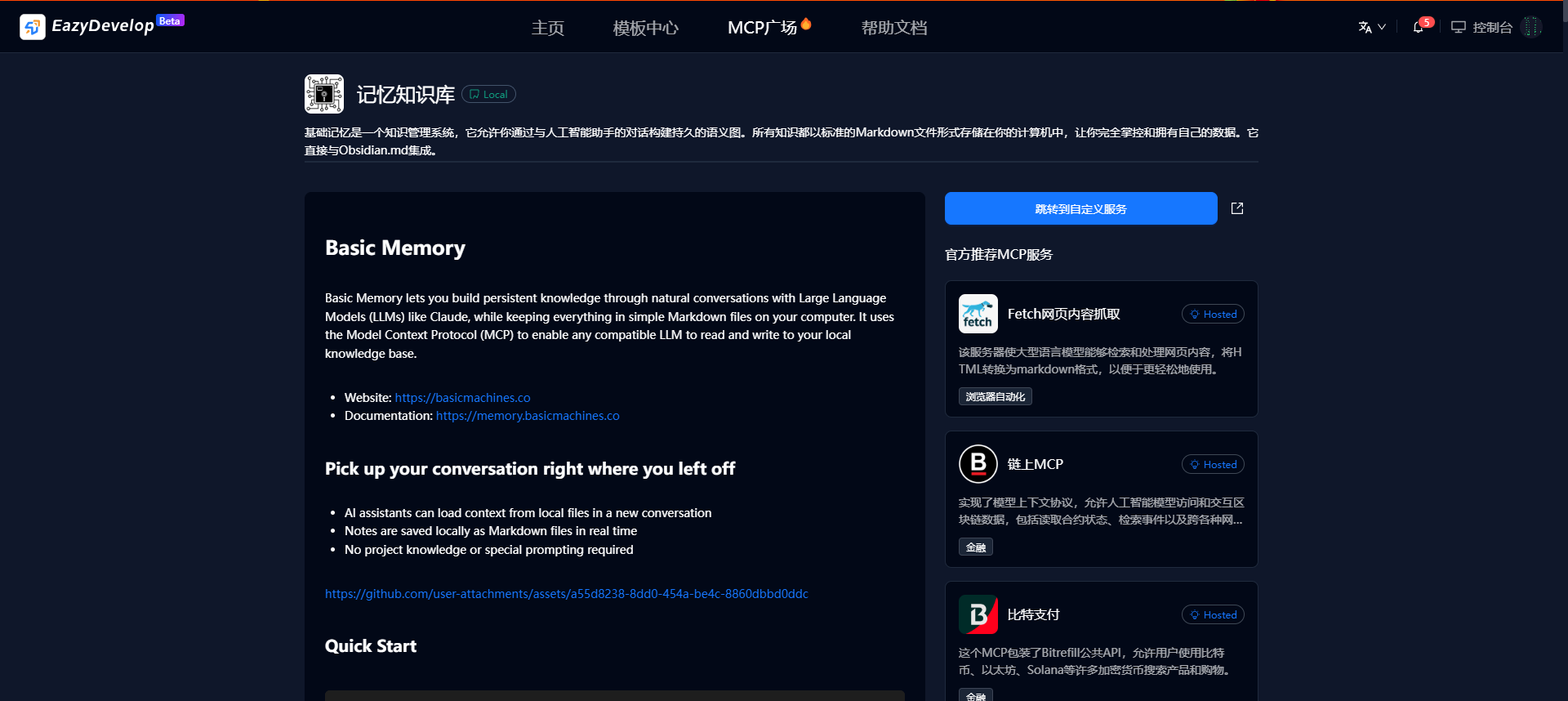
Service Activation
Activate pre-configured MCP services (using Amap as an example)
1、Enter MCP Plaza
Click "MCP Plaza" in the navigation bar, browse official pre-configured service cards (such as Amap Maps, Firecrawl, etc.).
2、Activate Now
Select the target service card (e.g., "Amap Maps"), click "Activate Now", confirm to complete service activation. Some services are temporarily free (e.g., Amap Maps).
3、Access Application
After activation:
- Can be directly referenced in the project's workspace-resources
- Can copy API-Key to other AI tools for use
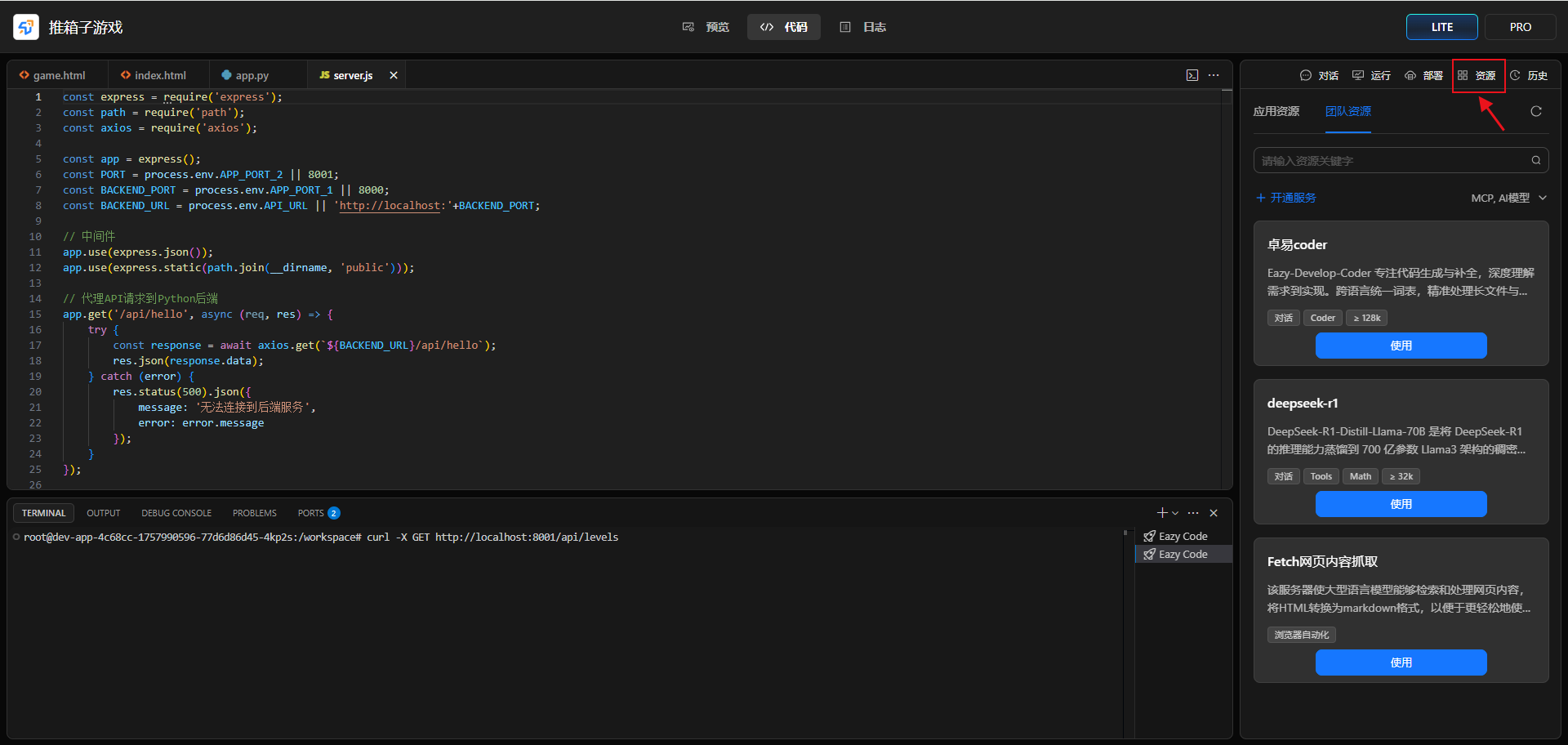
Custom MCP Services
1、Create Custom Service
Switch to the 【Custom Services】tab, click "Create Custom Service", configure the relevant content, and submit for deployment.
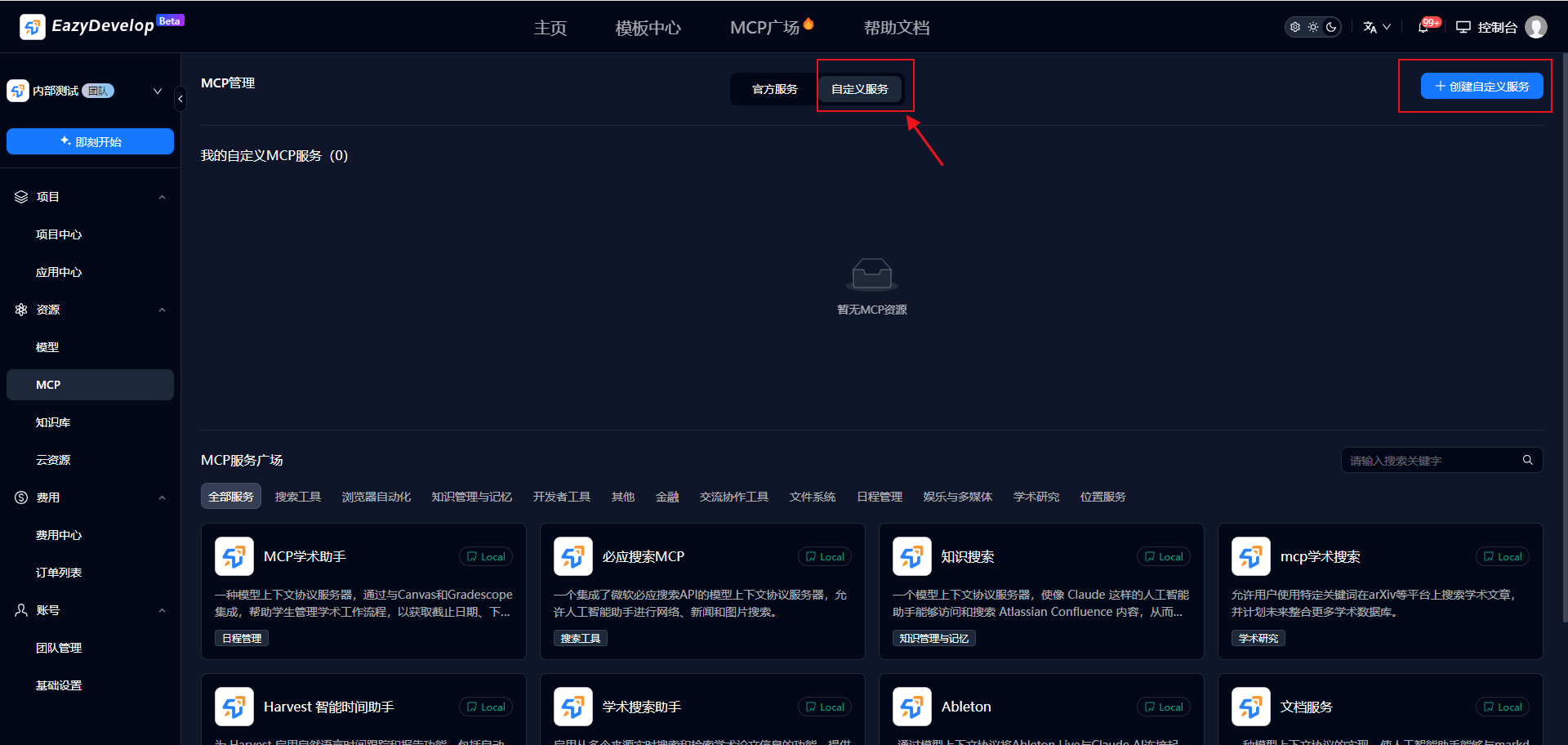
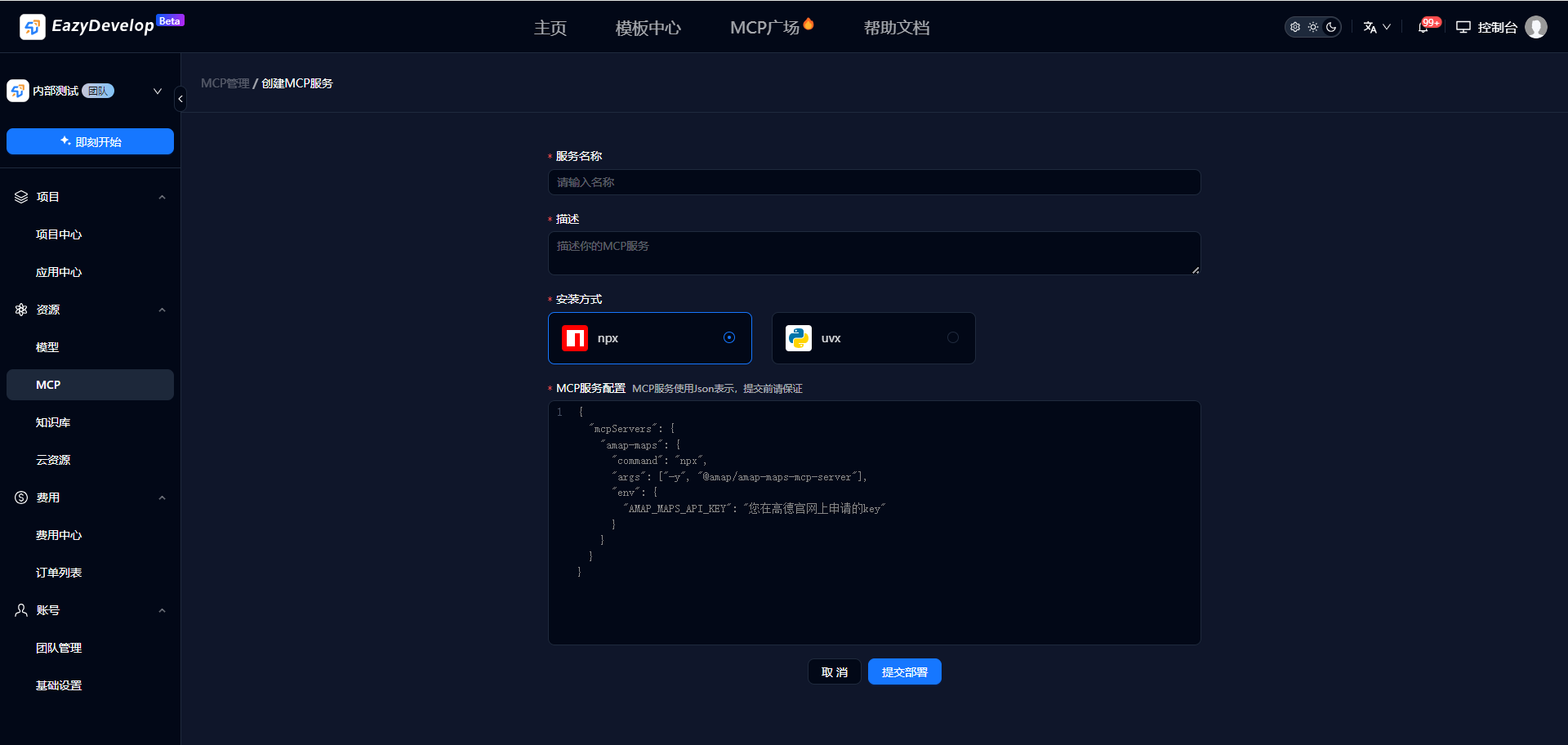
2、Usage
- Can be directly referenced in the project's workspace-resources;
- Can copy API-Key to other AI tools for use.