Event Guide
How to validate your work’s user growth potential
In the competition, outstanding software is judged not only on technical depth but also on market appeal. Follow this flow to standardize acquisition and validate your user base:
Step1: Obtain the ecosystem access identifier
After registration, the system generates a dedicated ecosystem access link for you. This link is the sole technical credential for attributing derived users to your work.
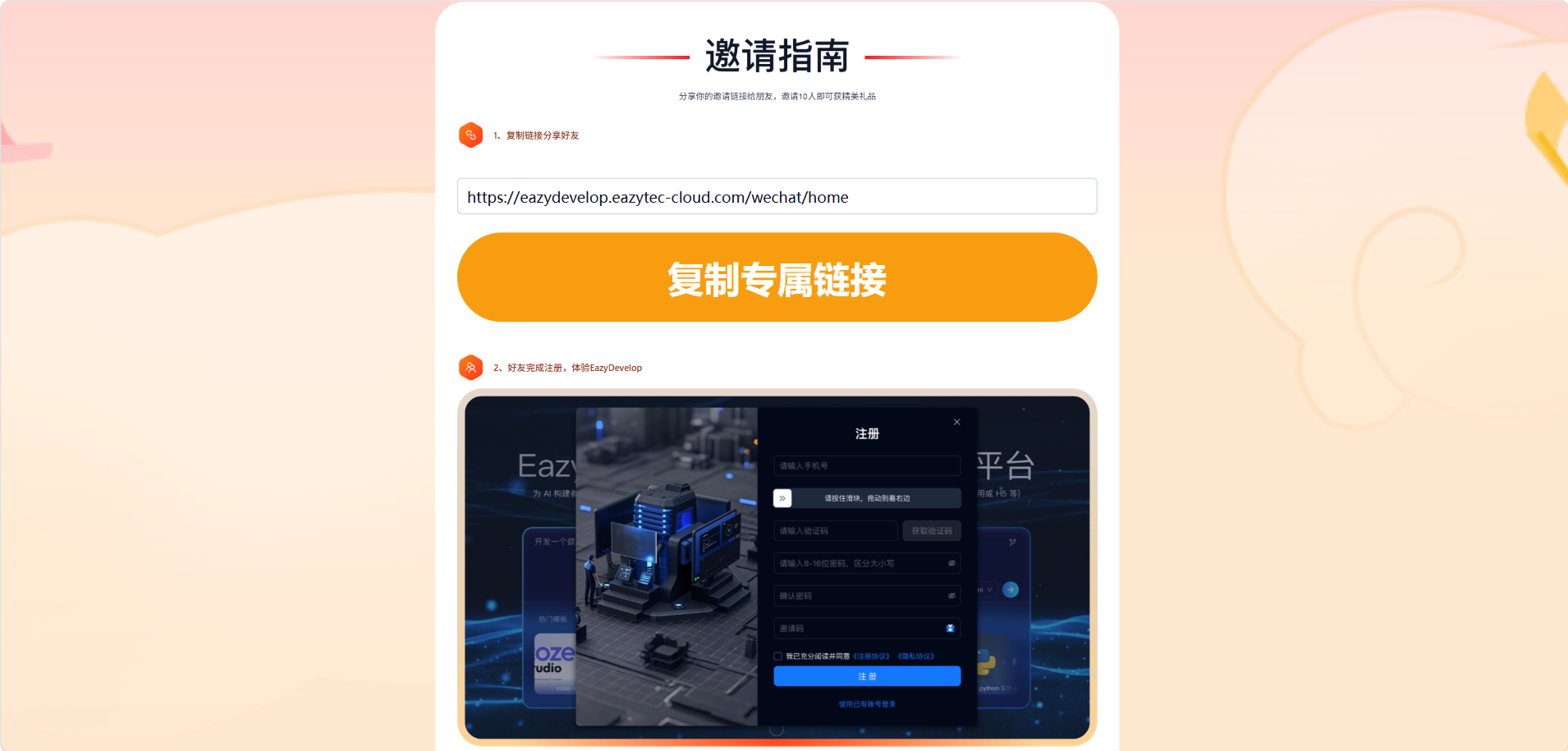
Step2: Product integration
Brand and embed the link in your software (e.g. onboarding, profile, or benefit redemption). Users who register through this path gain access to the EazyDevelop platform and can experience your work.
Step3: Active user attestation
All valid ecosystem users activated via your dedicated path are counted in real time on the backend. Market share and user growth for your work are core dimensions judges use to assess commercial value.
How to demonstrate commercial monetization
To prove end-to-end potential for AI applications, the competition encourages sustainable business models. EazyDevelop’s official hub provides unified settlement and entitlement support:
Step1: Enable the commercial path
Guide users in your work to the EazyDevelop official website to upgrade their account. Enter the control center. Standard flows such as membership upgrade help ensure ongoing compute capacity.
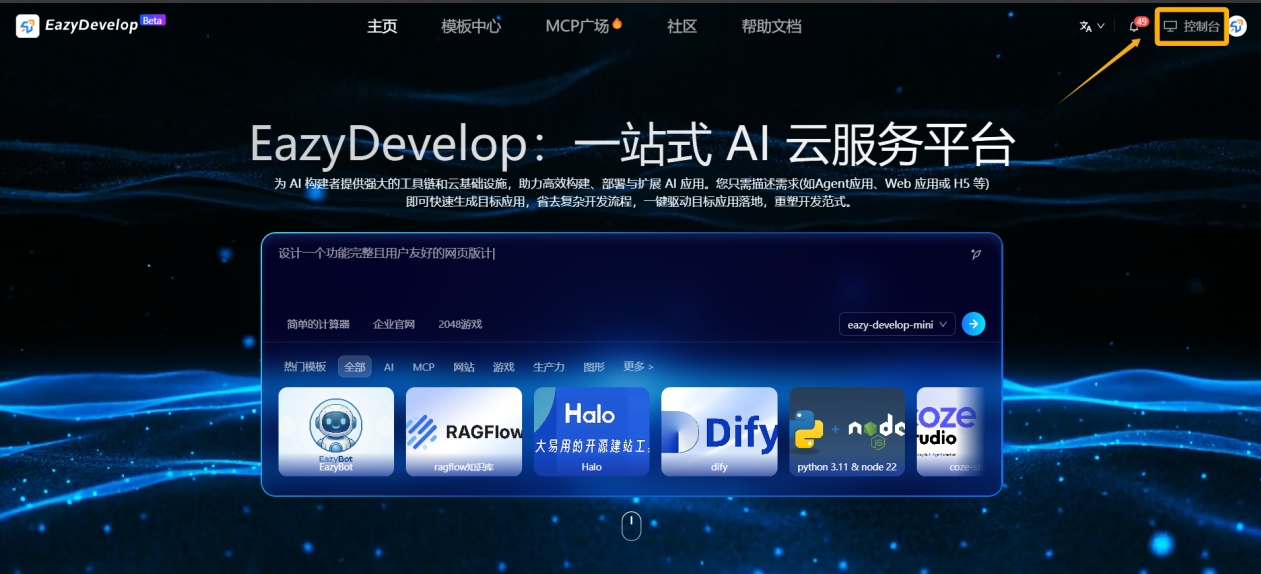
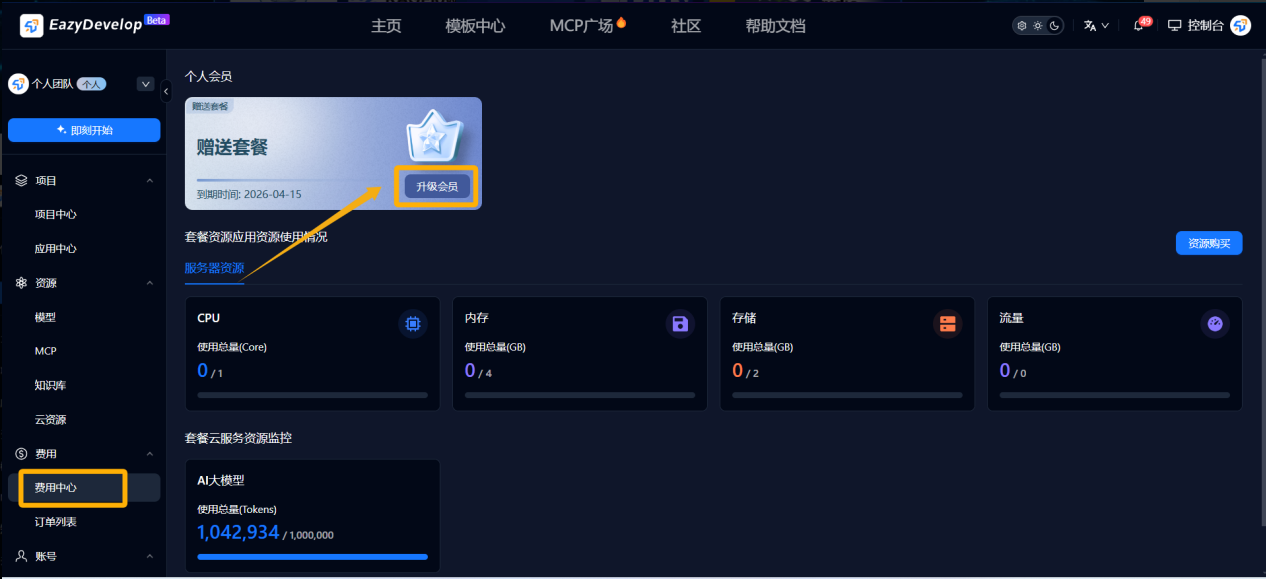
Step2: Build a paid incentive model
Weave membership benefits into your product design so users renew compute or expand resource packs through the official path.
Step3: Value conversion assessment
The system aggregates ecosystem revenue tied to your work via link monitoring. Paid conversion rate is a major bonus metric for commercial execution and feeds into the final review.
III. Platform support: developer entitlements
EazyDevelop supports entrants end-to-end—from build to promotion:
- Full-scenario toolchain: WebIDE with natural-language interaction.
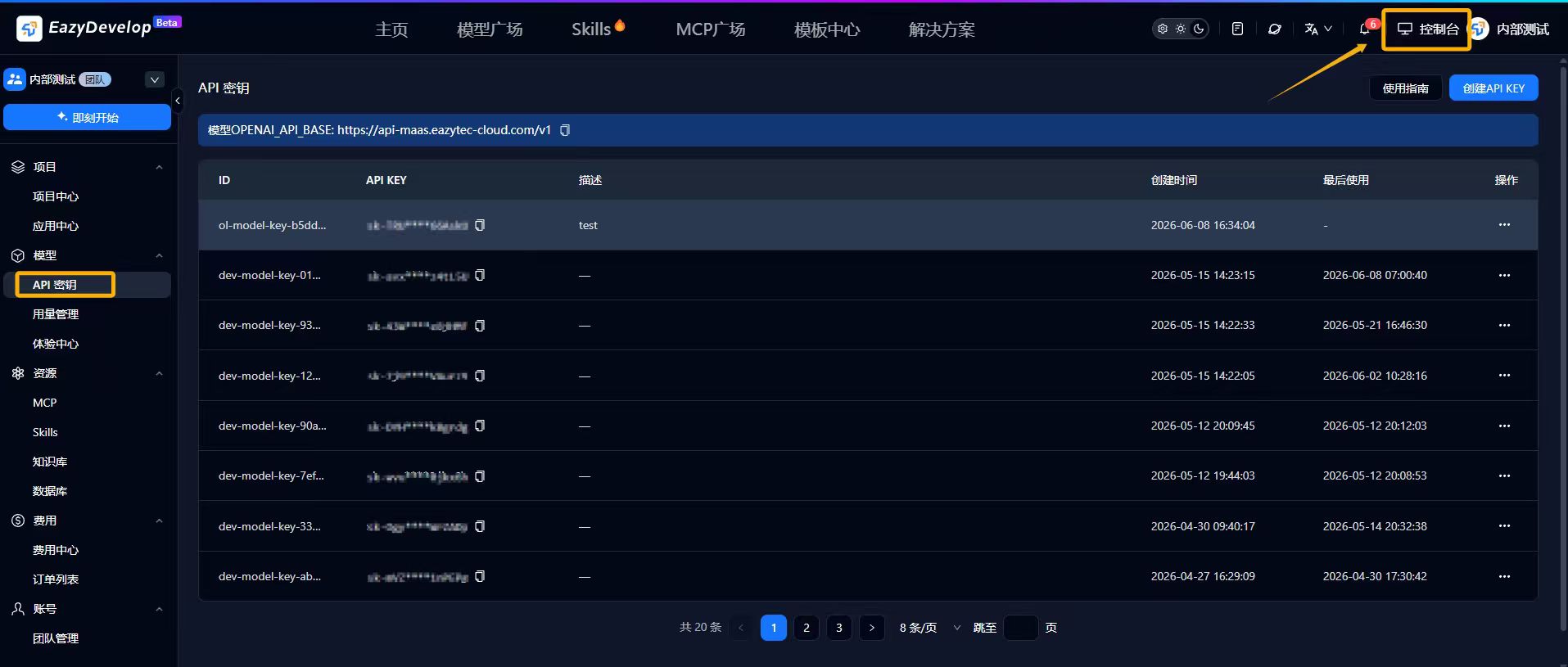
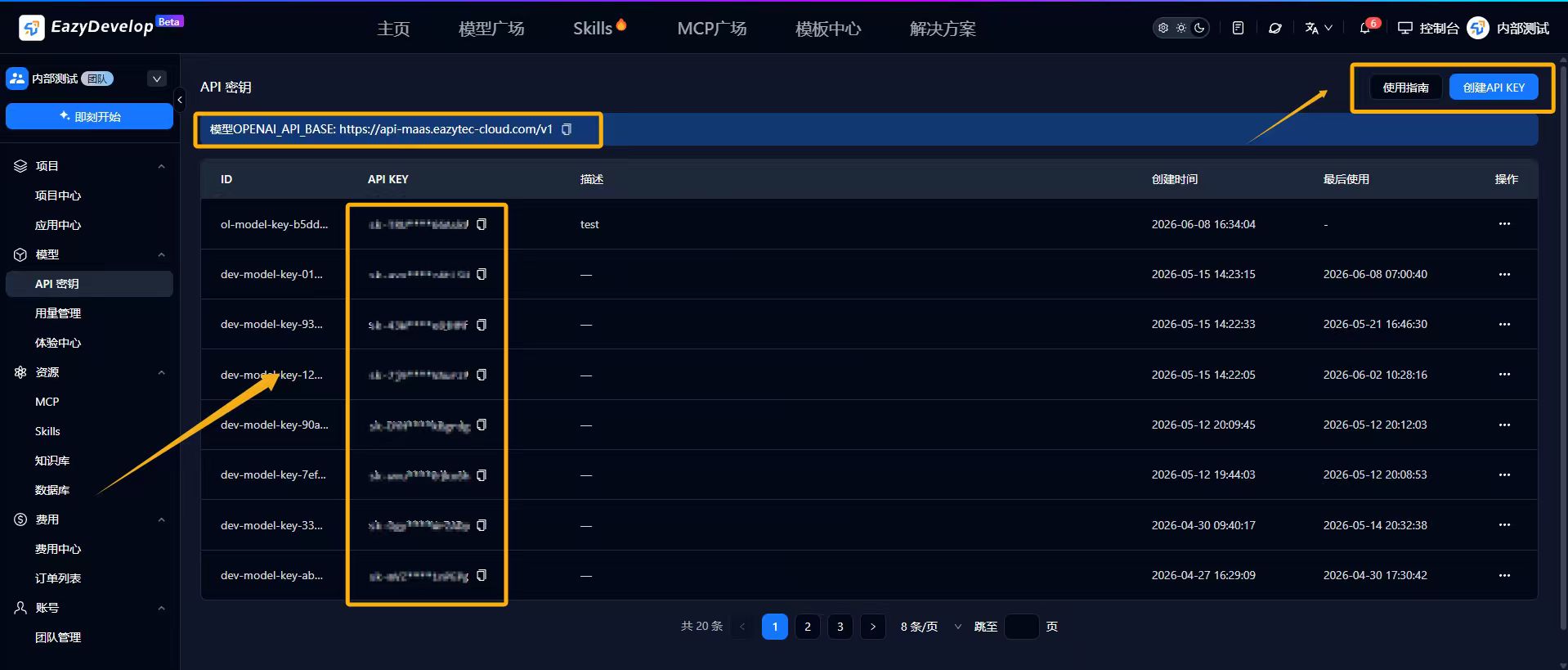
- API integration: In Console, pick the models you need. In API Keys, click Create API Key to obtain an API key. Integrate the API so users consume tokens to try your AI features, with top-ups through official channels for stable service. (Using the platform API is not mandatory.)