
API Keys
Page Overview
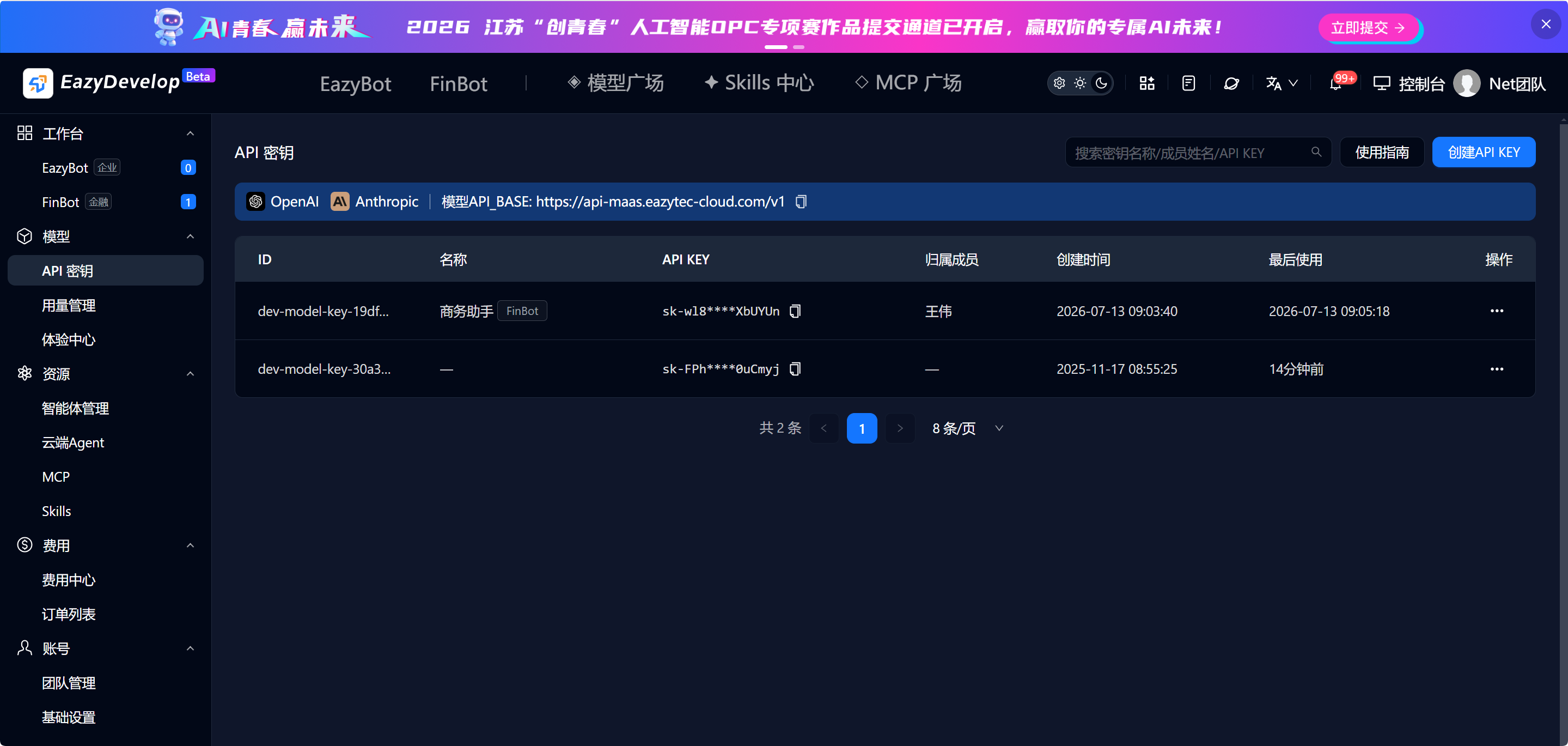
API keys are used to call platform model APIs. Keys support all major large model channels, fully supporting OpenAI and Anthropic integration. The page displays all team key data and supports search, create, edit, reset, and delete operations. There are three key data sources:
- System default key: Automatically generated during platform initialization, shared by the entire team, cannot be edited or deleted.
- Bot auto-generated key: Automatically created when deploying FinBot/EazyBot agents, with a name matching the assistant name, labeled with Bot type, owned by the Bot creator.
- Manually created key: Created by administrators, with customizable name and assigned member.
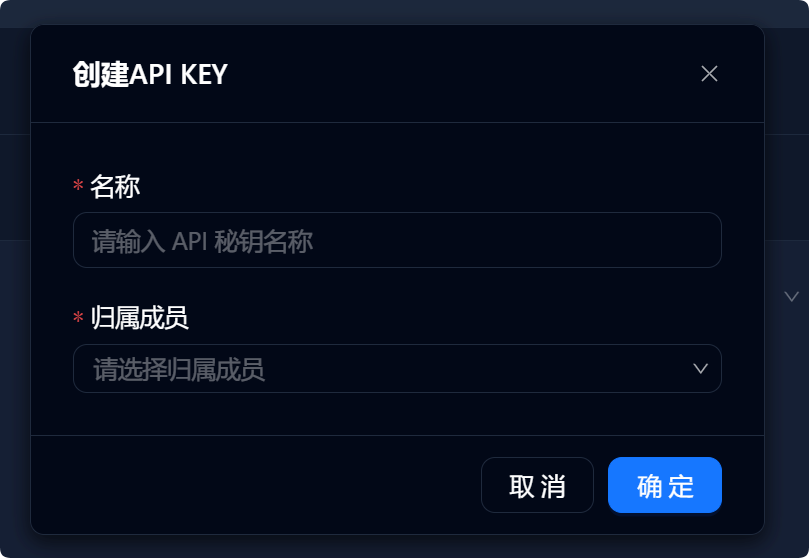
Create API KEY Workflow
- Click Create API KEY in the top-right corner of the page to open the creation dialog.
- Fill in the form:
- Name (required): Custom key identifier.
- Assigned member (single-select dropdown): Enter nickname / phone number / email to filter team members; for personal teams, the current logged-in account is selected by default.
- Click Confirm to complete creation. The key is automatically added to the list.
Key Operation Instructions
(1) Edit Key
- Restrictions: System default keys have no edit button; only manually created and Bot auto-generated custom keys support editing.
- Editable content: Key name can be modified.
(2) Delete Key
- Restrictions: System default keys cannot be deleted.
- For other keys, clicking delete shows a confirmation dialog. After confirmation, the key is permanently removed.
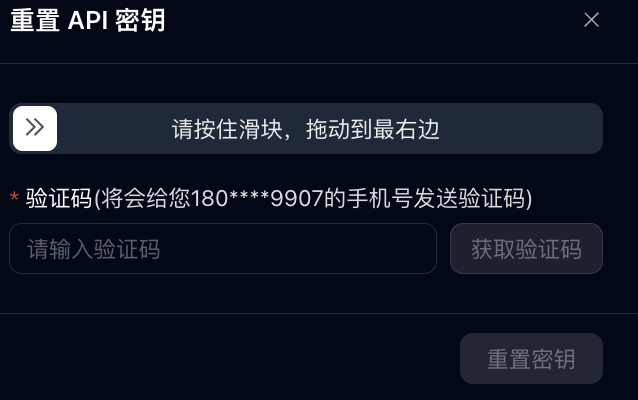
(3) Reset Key (Administrator only)
- Click the Reset button in the list to open the reset verification dialog.
- The dialog auto-fills the current logged-in account's phone number (or bound email if no phone number).
- Steps: Drag the slider to complete verification → click Get Verification Code to receive SMS / email code → enter the code.
- After verification passes, the Reset Key button activates. Click to complete reset.
- After reset, the system automatically sends an in-platform message notification to the key's assigned member.
 -->
-->
Note: The current version does not yet support automatic sync of Bot-associated keys after reset. Users must manually replace them.
(4) Request Reset (Regular operator only)
Regular operators do not have direct reset permission. The list only shows the Request Reset button:
- Click the button to open the request text box.
- Default text: The existing key may be compromised. Please help reset the key. Content can be manually edited.
- Click Confirm to submit the request. The message is automatically pushed to the team administrator for processing.