
Skills
Skills are located under the Resources category in the console left navigation. They are modular business capability units that agents can invoke, extending AI agent practical capabilities across text processing, office integration, financial tools, system interfaces, data queries, and other scenarios. Teams can acquire skills through 4 channels: one-click import from the official Skills market, local Zip upload, third-party Hub repository import, and custom creation. Created skills can be bound to EazyBot/FinBot agents for automatic invocation in conversation flows, and can also be shared for team members to use when creating custom agents.
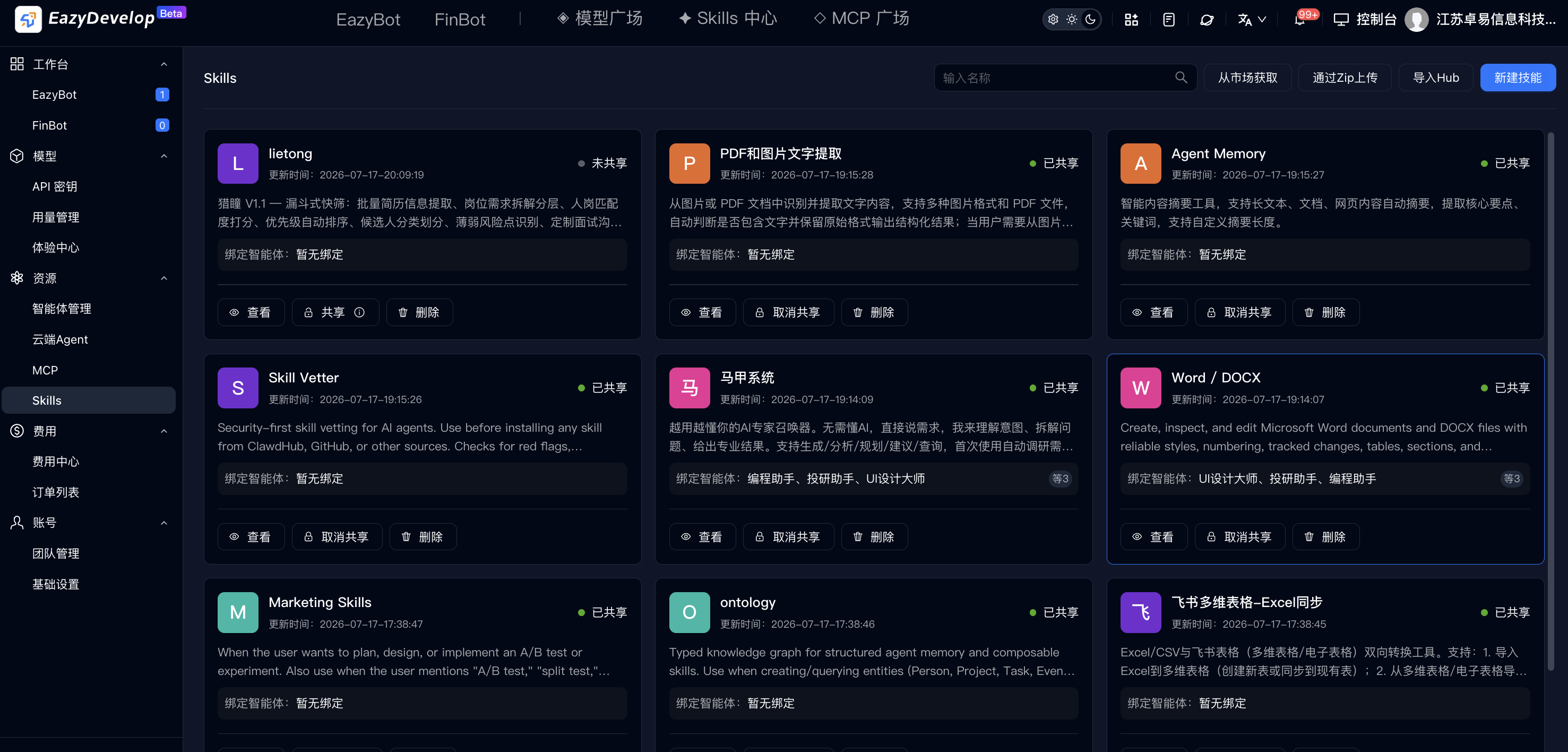
Acquire Skills
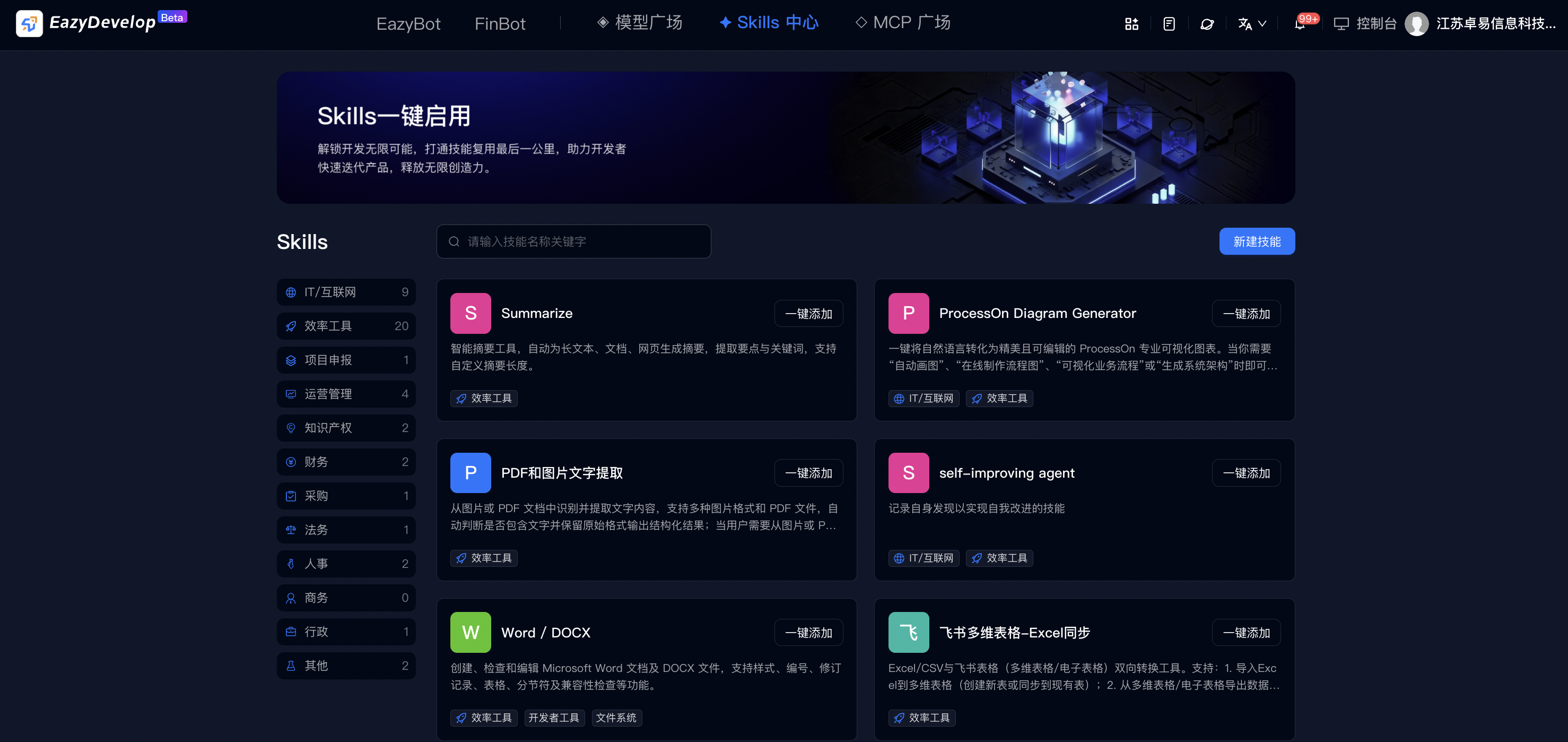
Method 1: Acquire from Market
Click Acquire from Market in the top-right corner of the list page, or Skills Center in the top navigation bar, to enter the official pre-built skills market. Name duplicate validation occurs on add: if a skill with the same name exists in the team, a dialog offers two options: a. Overwrite update: Original skill configuration is directly replaced with the market new version; bound agents show an update button. b. Save as new: Generate an independent skill resource, retaining both old and new skills.
Method 2: Skill Import / Create
Channel 1: Upload local skill package via Zip
- Click the Upload via Zip button at the top of the list to open the local file picker.
- Only
.zipformat skill packages are supported. System automatically parses skill configuration within the package. - Duplicate name validation logic is the same as market one-click add: choose to overwrite existing same-name skill or save as new.
- After confirming import, skill is automatically added to the team skills pool.
Channel 2: Import Hub open-source repository skills
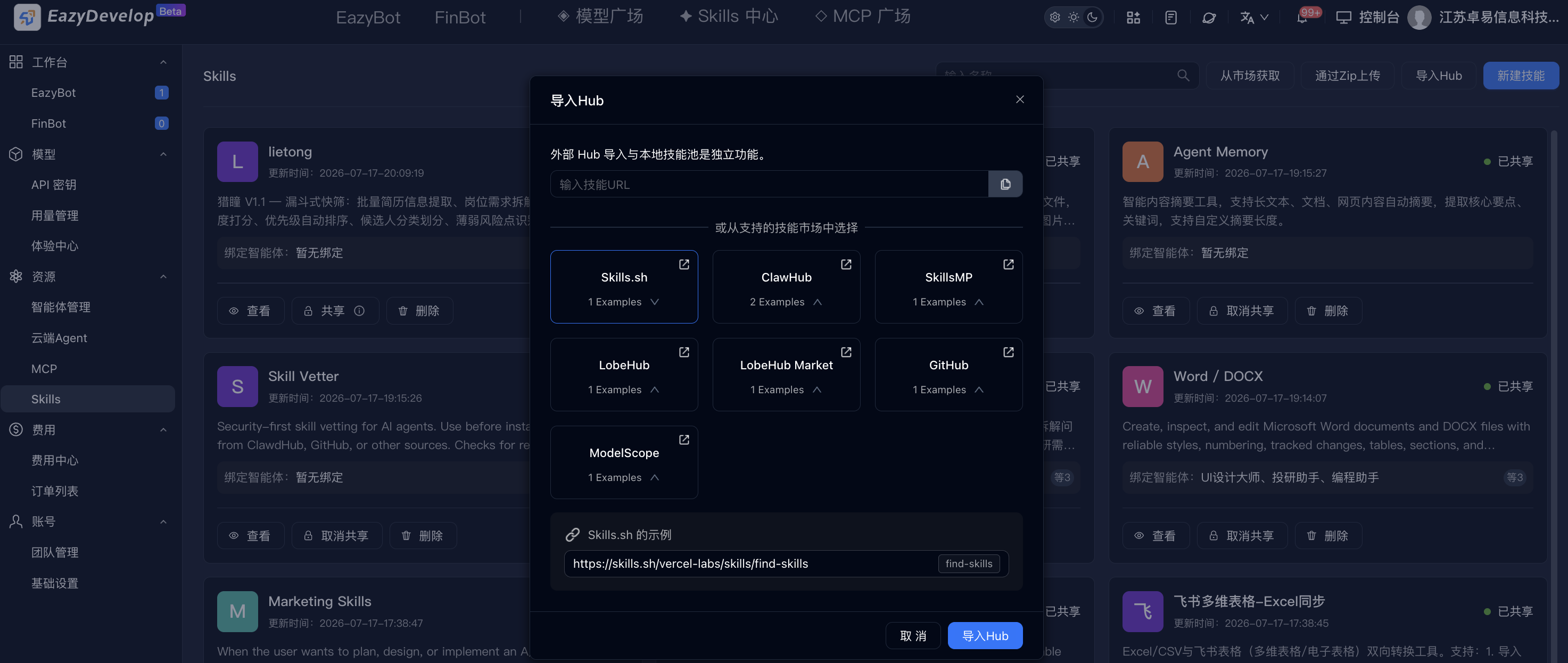
Click Import Hub at the top of the list to open the import dialog, supporting two import methods:
- Method 1: Enter skill URL—paste the complete skill repository address in the top input field and click Import.
- Method 2: Quick-select built-in Hub sources—the dialog includes shortcuts to mainstream open-source skill repositories: Skills.sh, ClawHub, SkillsMP, LobeHub, Lobe Market, GitHub, ModelScope. Click a repository to browse internal skill examples.
- Bottom provides Skills.sh standard URL example for format reference.
- Click Import Hub to execute pull, auto-validate name duplicates, and import to team list upon completion.
Method 3: Create Custom Skill
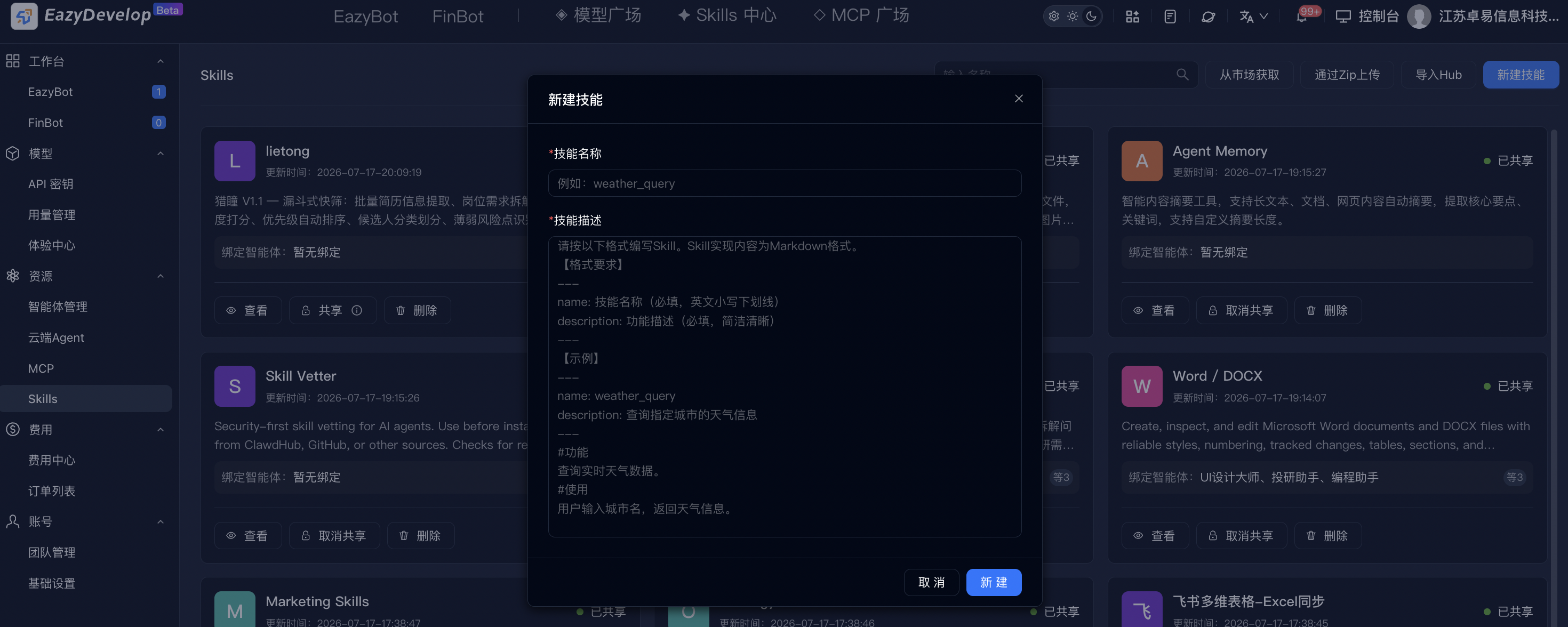
Click the blue Create Skill button in the top-right corner of the list to open the creation configuration dialog. All content follows mandatory format specifications:
- Skill name (required): Globally unique, cannot duplicate.
- Skill description (required): Markdown format content with mandatory format constraints: Must be wrapped with
---delimiters at start and end.- a. Must contain
nameanddescriptiontwo basic fields internally. - b. Supports supplementary
# Features,# Usageand other comment descriptions explaining skill execution logic and invocation methods.
- a. Must contain
- Workflow: Fill name and compliant Markdown description → click Create → system validates format and name uniqueness. After validation passes, stored in Skills list.
Edit Skill
Click Edit on the skill card. The dialog layout is identical to the create skill page:
- Auto-fills current skill's original name and complete Markdown description.
- Supports modifying all configuration content. Click confirm to save after adjustment.
- Update linkage rules: All agents bound to this skill show an Update button in the configuration panel. Click to sync latest skill logic. Agents not bound have no update entry.
Share Skill
Click the Share button. Team members can then select and install shared skills when creating custom agents in FinBot and EazyBot. After Unshare, the skill is no longer visible in FinBot and EazyBot.
Delete Skill
Click delete to open a second confirmation dialog showing all agent names currently bound to this skill. After confirming deletion:
- Skill resource is permanently cleared and cannot be recovered.
- All agents that bound this skill are automatically unbound. The skill capability is no longer available in conversations.
Constraints
- Team resource isolation: Different teams' Skills resources are fully isolated; cannot view, import, or reuse across teams.
- Version sync rules: Skills imported from market / Hub are static snapshots. After source repository updates, existing skills do not auto-upgrade; re-import is required.
- Format mandatory validation: Custom creation, Zip upload, and Hub import skill configurations must comply with
---start/end format and containname/descriptionfields. Format errors directly block import / creation. - Permission isolation: Regular operators have no add, edit, share, or delete permissions. Can only view shared skills and bind to their assigned agents.
- Billing rules: Skills themselves do not consume plan Credits quota. Deduction occurs only when agents invoke skills and initiate model conversations.
- Data persistence: After deleting a skill, all agents are automatically unbound. Historical conversation records are not cleared, but subsequent conversations can no longer invoke that skill capability.