
Plan Description
All resources and their usage are purchased and monitored in the Billing module.
Membership Plans
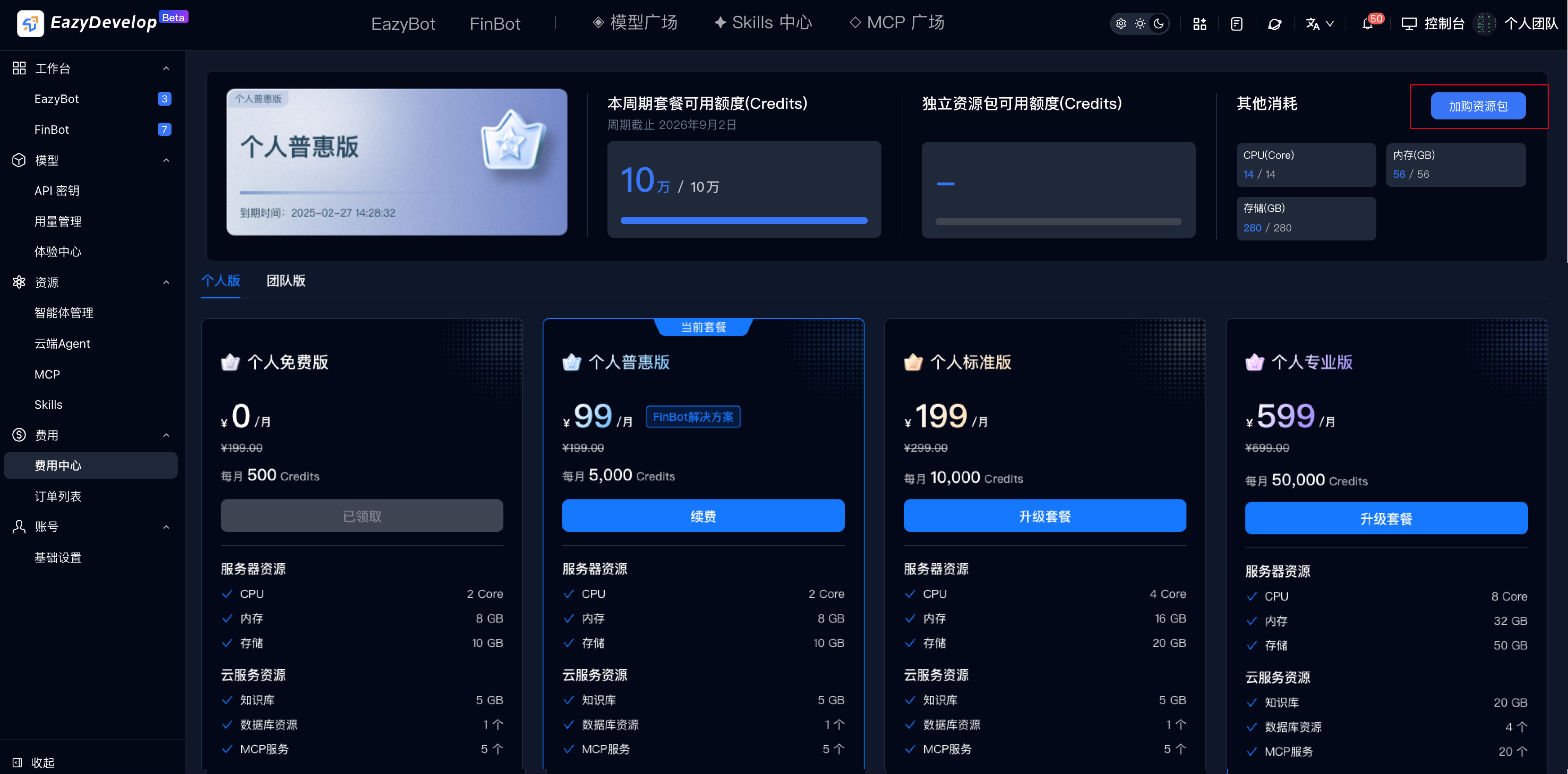
View the current team's plan and usage in Billing Center. You can renew or upgrade plans.
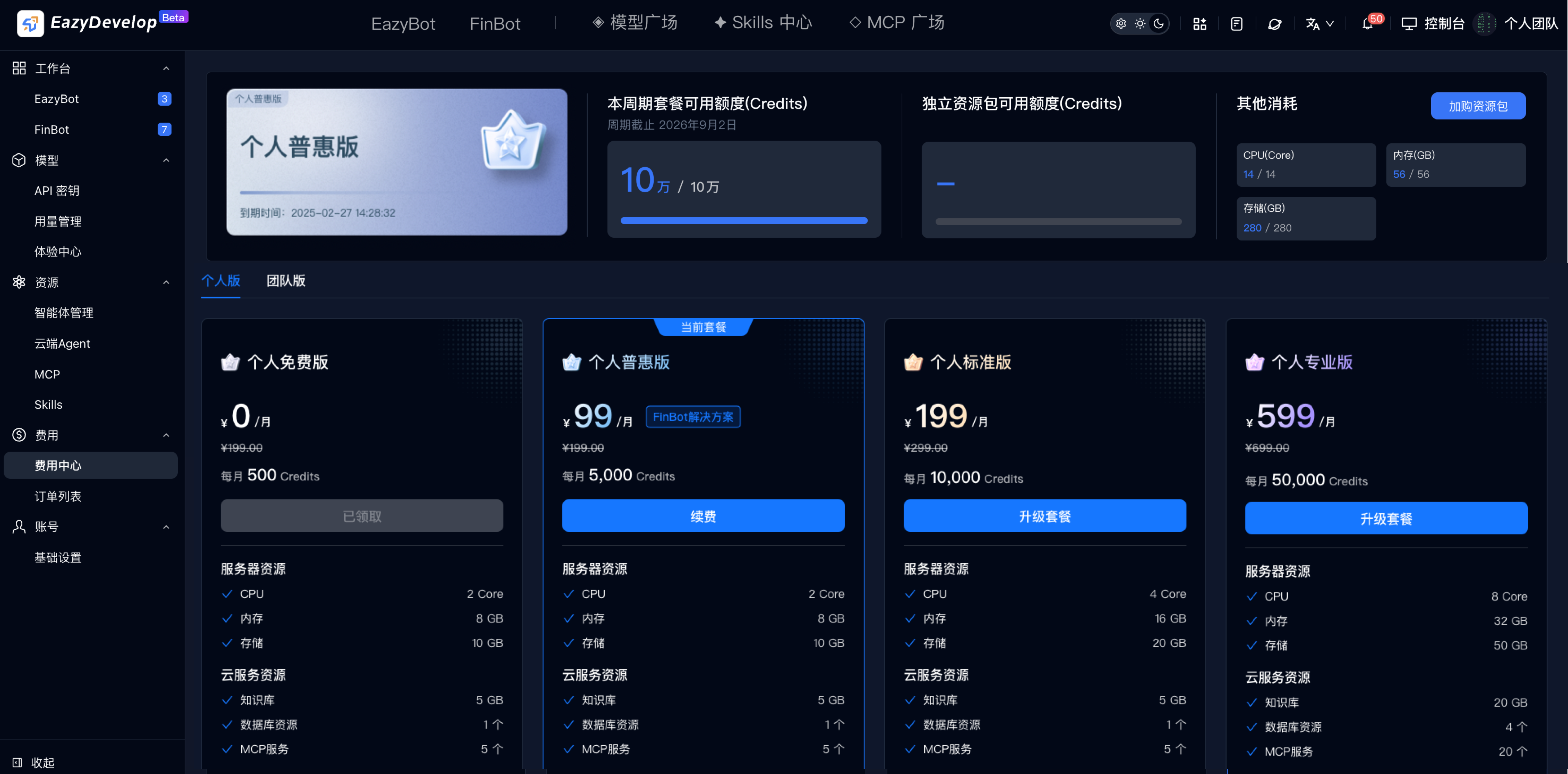
Plan Renewal
Purchased plans can be renewed to extend validity.
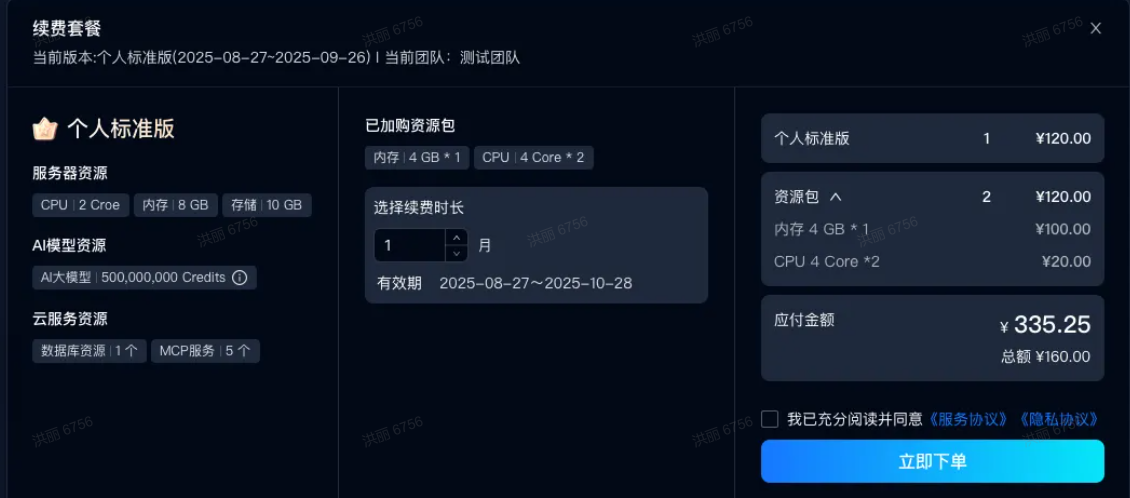
Plan Upgrade
Upgrade to obtain more resource quota. There are 2 upgrade modes: align with plan validity period, or select new duration.
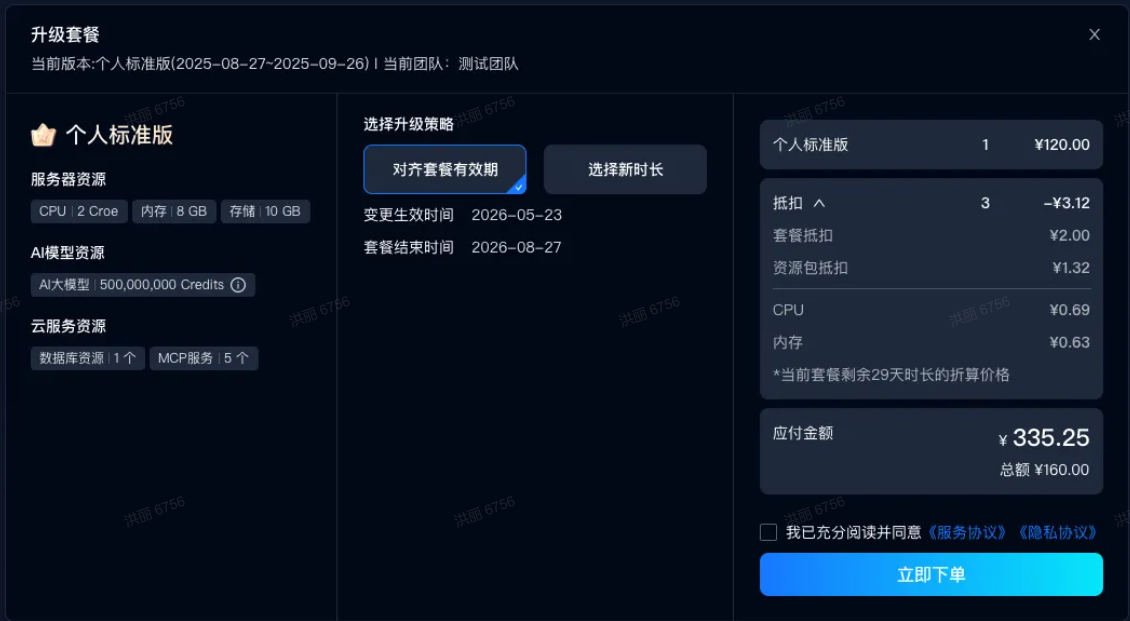
Align with Plan Validity Period
Under the existing plan validity period, calculate the payable amount for the new plan and deduct the remaining value of the current plan, then place order and pay. After success, plan validity period remains unchanged and plan quota increases.
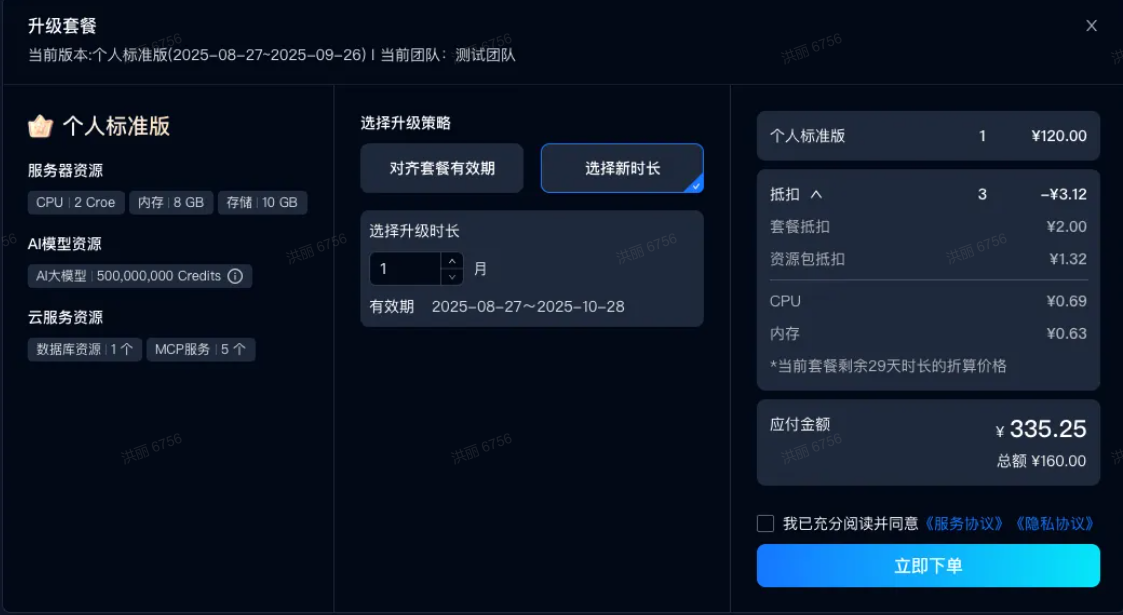
Select New Duration
Use the current time as the new plan start date, calculate the new validity period, deduct the remaining value of the current plan. After successful payment, validity period is recalculated.
Resource and Service Purchase
Click Add Resource Pack in the top-right corner to purchase resources and services based on usage and actual needs.
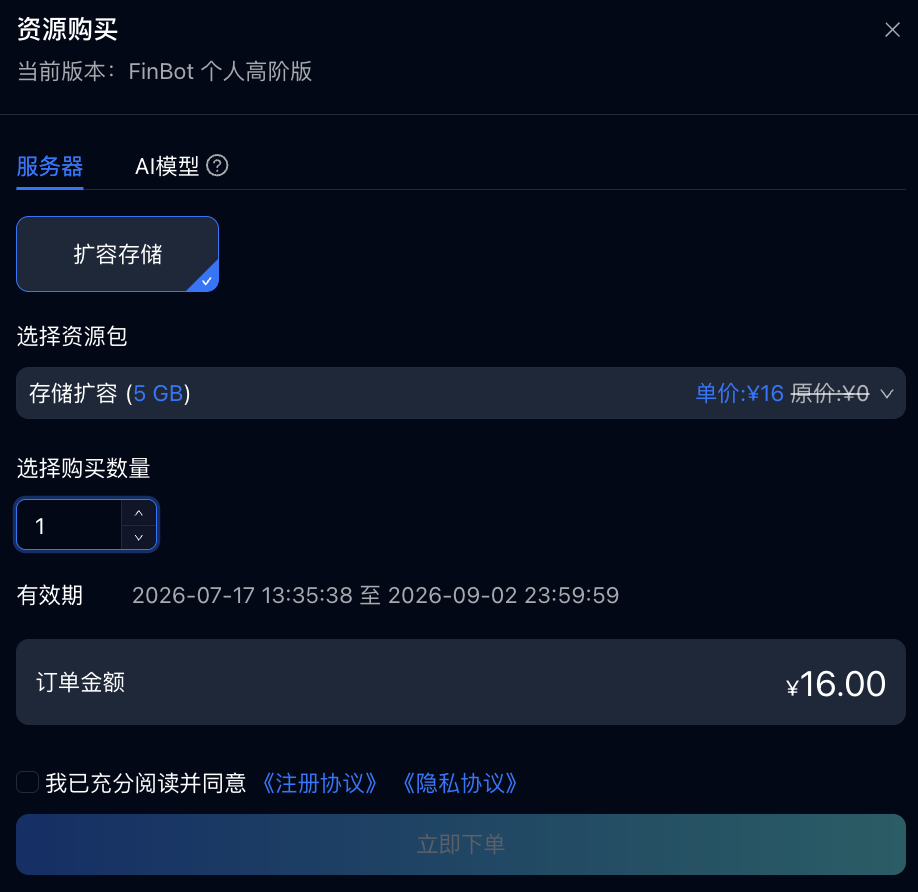
Resource packs are divided into standalone quota type and quota expansion type:
- Standalone quota type: Independently calculates validity period and quota. After plan expiration, standalone quota resource packs can still be used, e.g., AI large model Credits.
- Quota expansion type: Consistent with plan validity period. Resource quota is directly added to original resource quota. After plan expiration, quota expansion resource packs cannot be used, e.g., storage expansion, team member seats.
Purchase as needed. Storage includes plan storage + expansion storage. Plan storage is used for Cloud Agent spec upgrade; expansion storage is used for storage expansion.