
Codex Integration Guide
Codex is OpenAI's terminal AI programming assistant that enables natural language command interaction in the terminal, helping developers quickly complete code generation, debugging, refactoring, and other tasks.
1. Get API Key
- Refer to Model Activation Help Documentation
2. Install Codex
Prerequisites: Node.js 18.0 or higher
Step 1: Install Codex
Note: Must install the specified version
0.80.0
npm install -g @openai/codex@0.80.0Step 2: Verify Installation
codex --version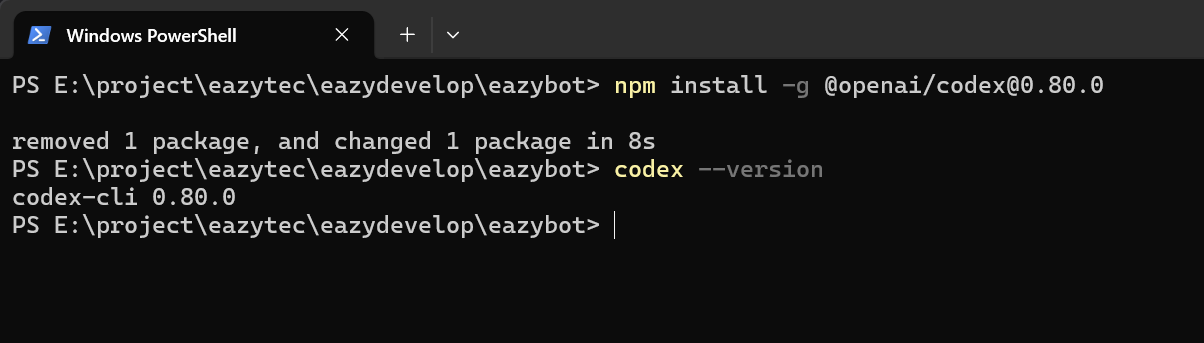
3. Configure Access Credentials
Configuration file path depends on the operating system. Please ensure the path is correct, otherwise the configuration will not take effect.
Step 1: Create Configuration File
- macOS / Linux:
~/.codex/config.toml - Windows:
C:\Users\YourUsername\.codex\config.toml
Copy the following content to the configuration file, replace <OPENAI_API_MODEL> with the model name you activated:
Note:
env_keydoes not need to be modified
model_provider = "EazyDevelop"
model = "<OPENAI_API_MODEL>"
[model_providers.EazyDevelop]
name = "EazyDevelop"
base_url = "https://api-maas.eazytec-cloud.com/v1"
env_key = "EAZYDEVELOP_API_KEY"
wire_api = "chat"
Step 2: Configure Environment Variables
Replace
<OPENAI_API_KEY>with the API key activated on EazyDevelop.
macOS / Linux:
Execute the following command in the terminal to view the default Shell type:
bashecho $SHELLSet environment variables according to Shell type:
Shell Type Command Zsh echo 'export EAZYDEVELOP_API_KEY="<OPENAI_API_KEY>"' >> ~/.zshrcBash echo 'export EAZYDEVELOP_API_KEY="<OPENAI_API_KEY>"' >> ~/.bashrcExecute the following command to make environment variables take effect:
Shell Type Command Zsh source ~/.zshrcBash source ~/.bashrc
Windows:
Open CMD command line and execute the following command:
Replace
<OPENAI_API_KEY>with your activated API key
setx EAZYDEVELOP_API_KEY "<OPENAI_API_KEY>"Verify if environment variables are effective:
echo %EAZYDEVELOP_API_KEY%
4. Start Using
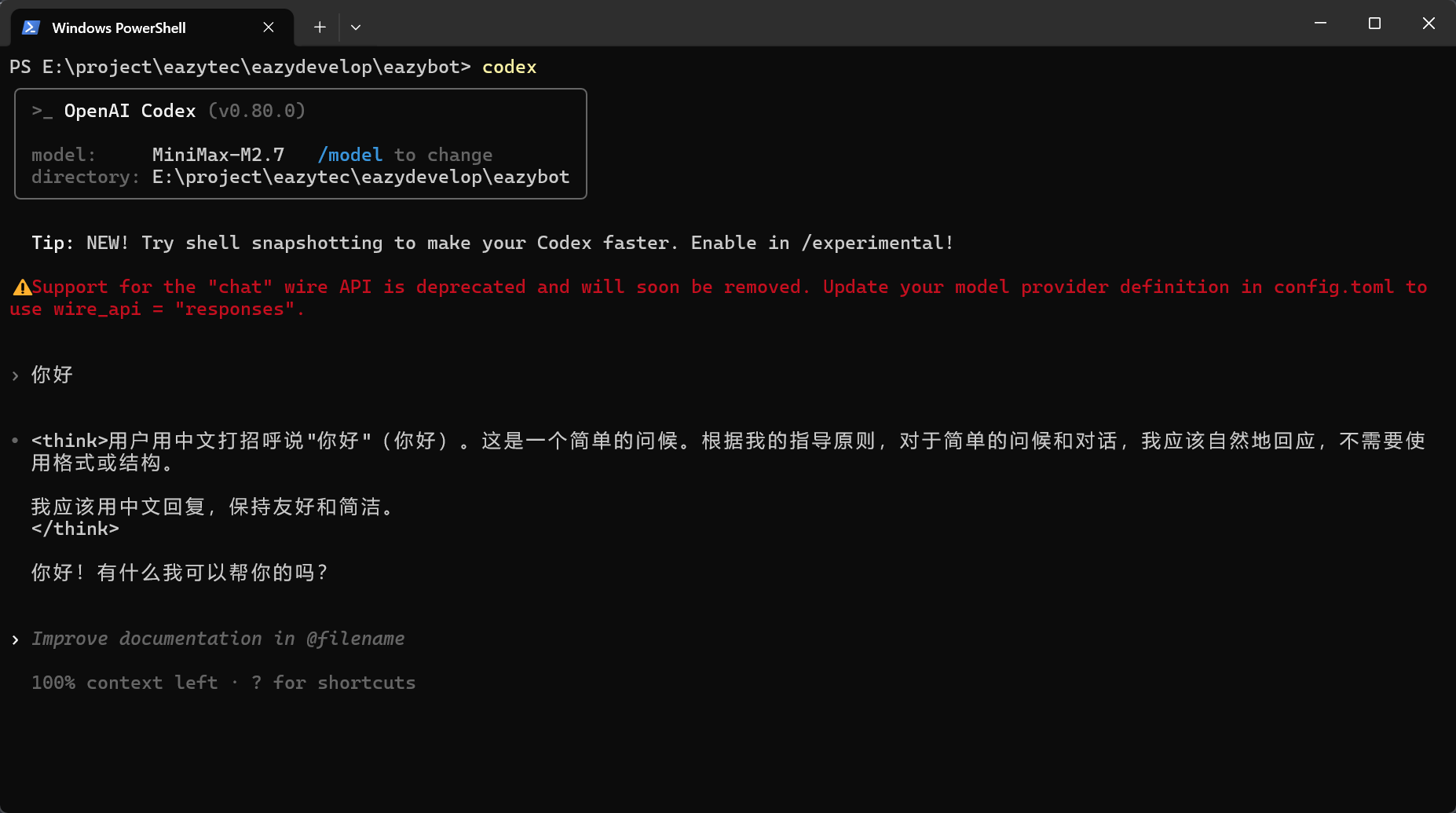
After configuration is complete, open a new terminal window and execute the following command to start Codex and begin conversation:
codexPlease ignore the red warning
Notes
- Must install the specified version
0.80.0; other versions may not work properly - Do not write the configuration file path incorrectly. You can view the home directory path via
echo $HOME(macOS/Linux) - After setting environment variables on Windows, you need to reopen the terminal window for them to take effect
- The
env_keyinconfig.tomldoes not need to be modified; keep it asEAZYDEVELOP_API_KEY