
TRAE Integration Guide
TRAE is an intelligent IDE designed for developers, integrating AI Q&A, inline code completion, and Agentic Coding Workflow features, suitable for daily development use.
1. Get API Key
- Refer to Model Activation Help Documentation
2. Install TRAE CN
Visit TRAE Official Website to download and install the version suitable for your operating system.
3. Connect to EazyDevelop
Step 1: Add Custom Model
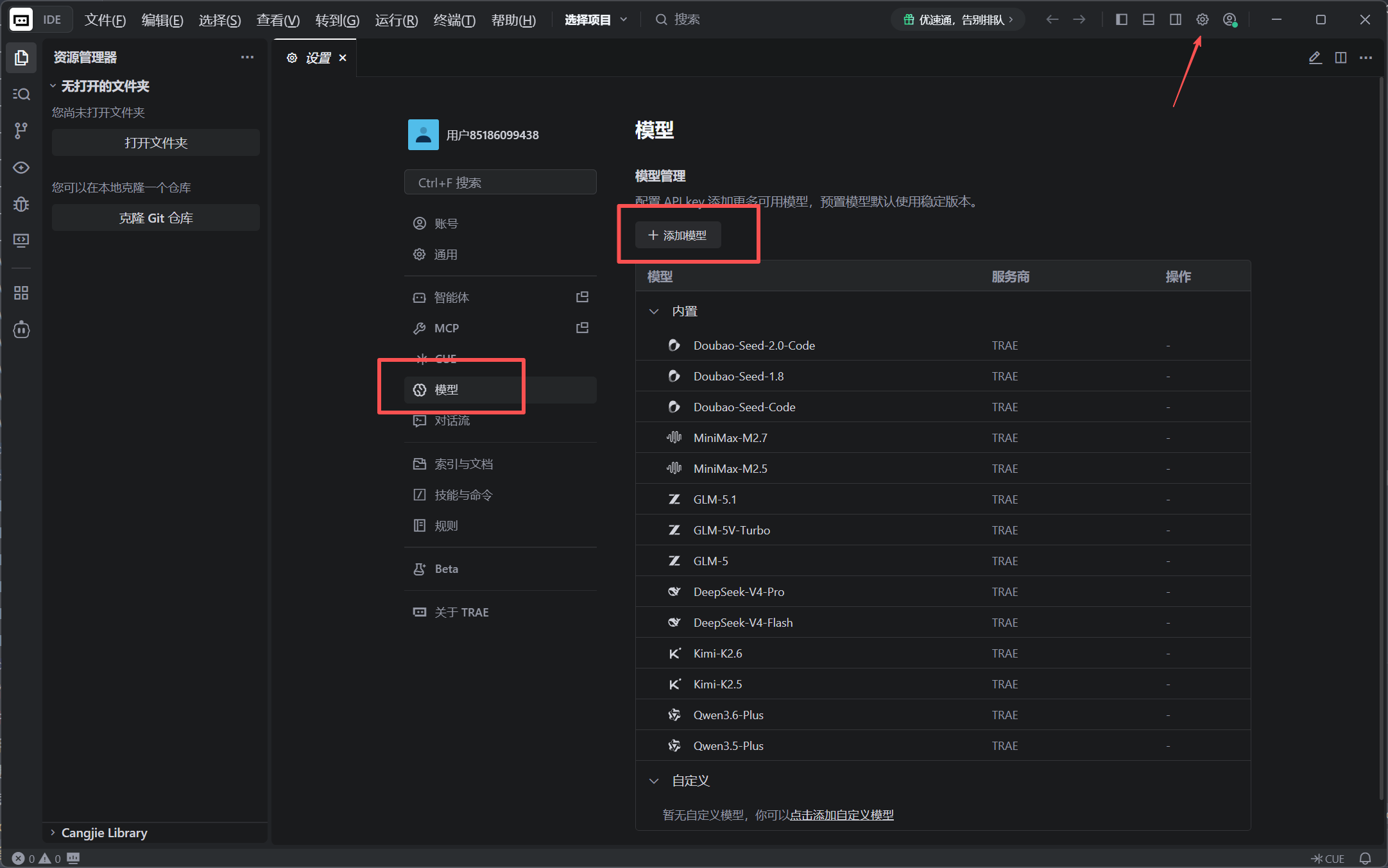
In TRAE, click Settings, find the Models menu, and select Add Model.
Step 2: Configure Model Information
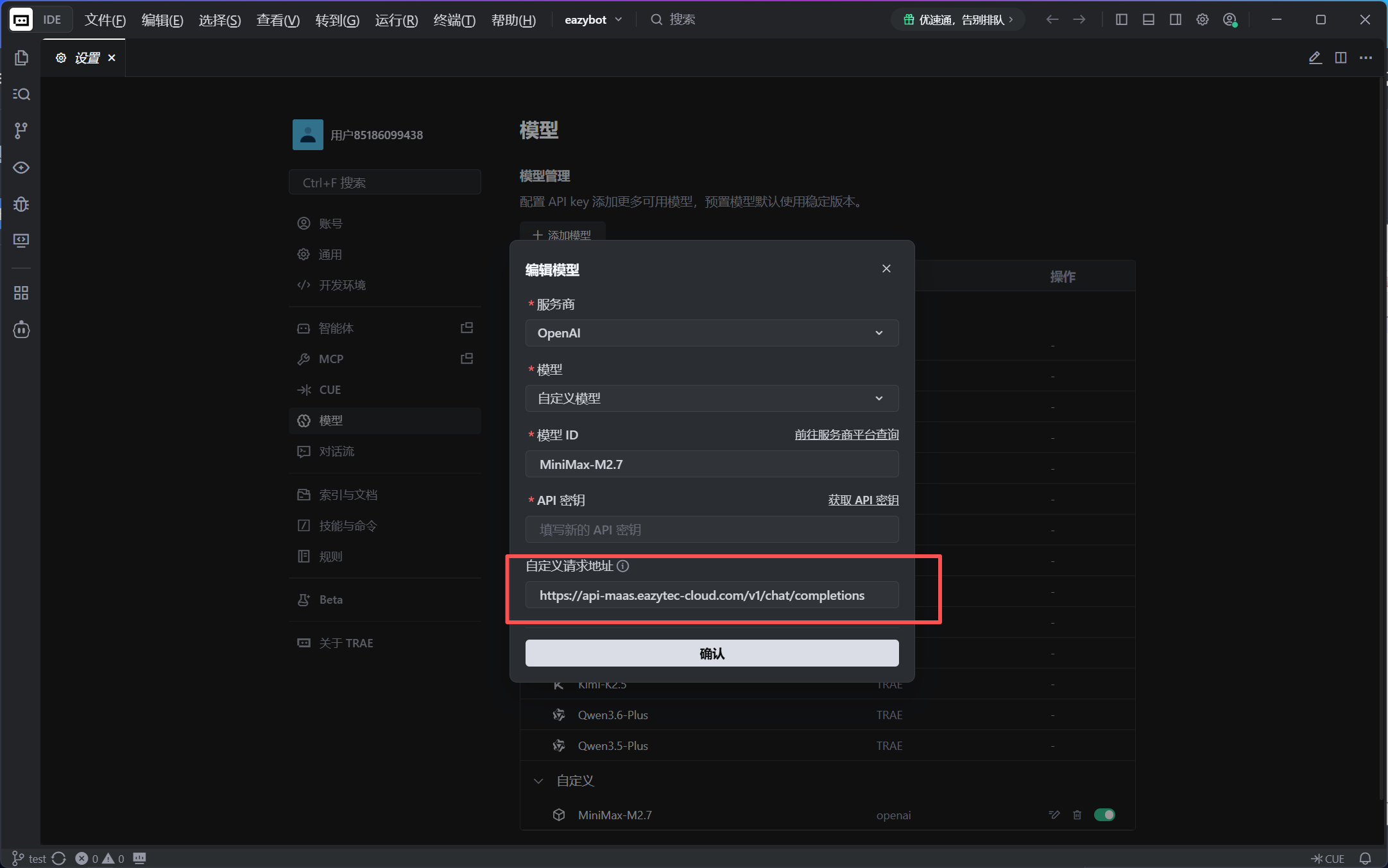
Select OpenAI in the model provider, choose Custom Model for the model, and configure as follows:
| Configuration Item | Description |
|---|---|
| Model Provider | Select OpenAI |
| Model | Select Custom Model |
| Model ID | Enter model name (e.g., MiniMax-M2.7) |
| API Key | Fill in your API Key activated on EazyDevelop |
| Custom Request URL | Enter https://api-maas.eazytec-cloud.com/v1/chat/completions |
Step 3: Select the Model to Use
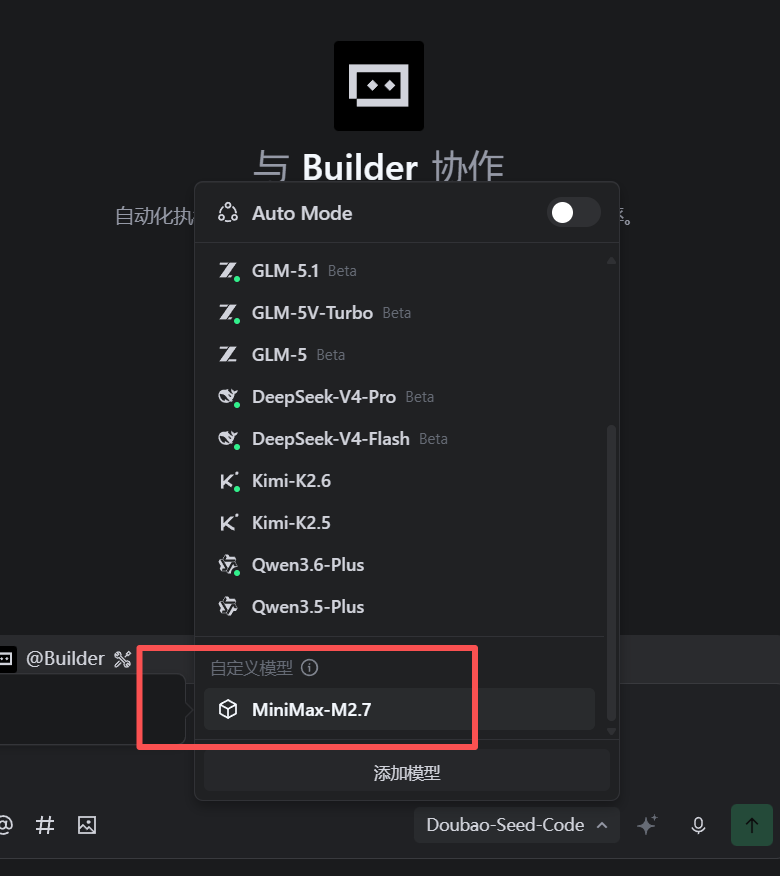
Turn off AUTO and select the configured custom model from the list.
Done! Now you can use EazyDevelop models in TRAE for code generation, debugging, task analysis, and other work.
Notes
- The custom request URL must include the complete
/chat/completionspath - If the model list is empty, please check if the API Key and Model ID are correct
- It is recommended to turn off AUTO mode and manually select the configured custom model