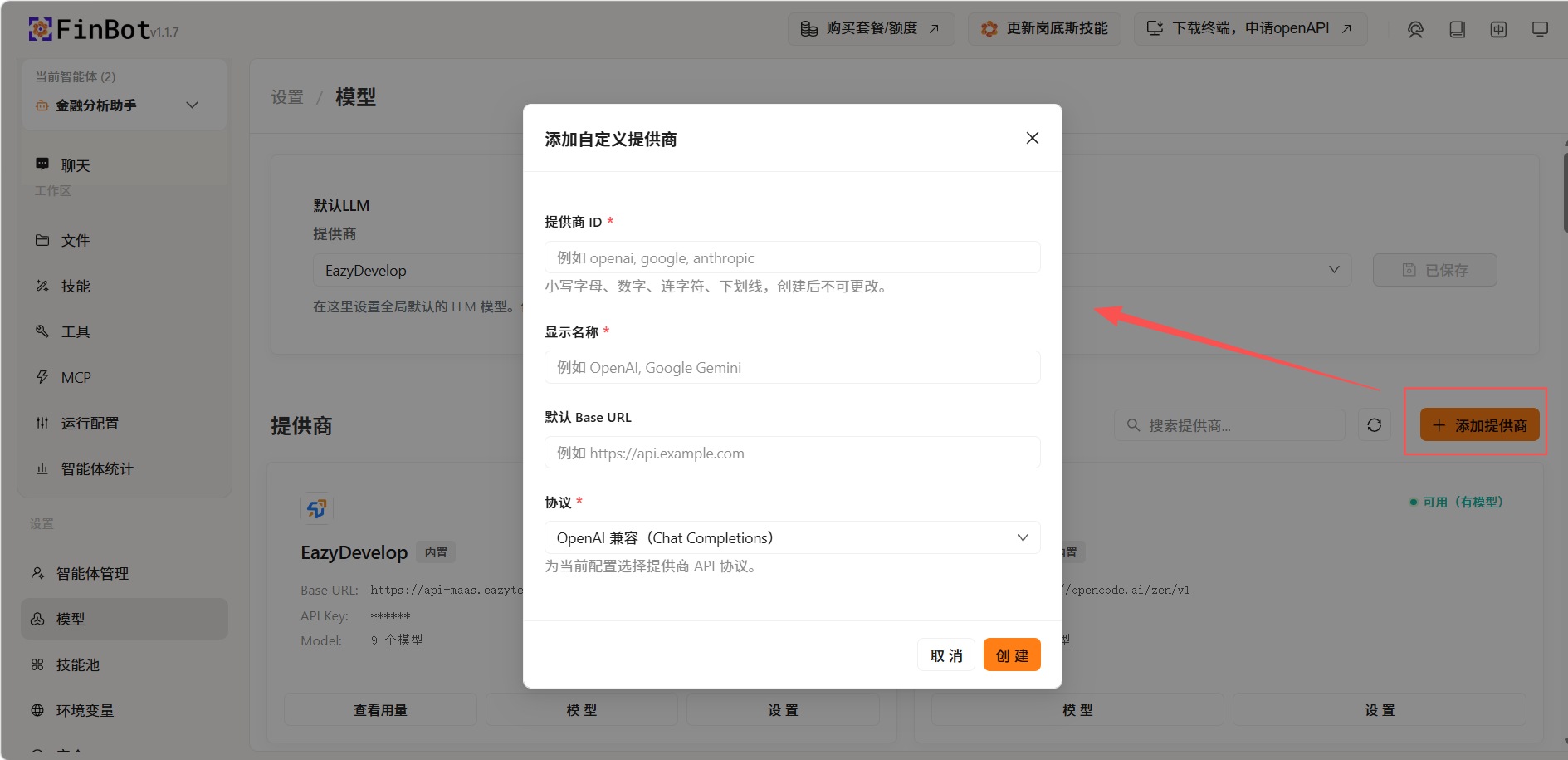
Configure Model
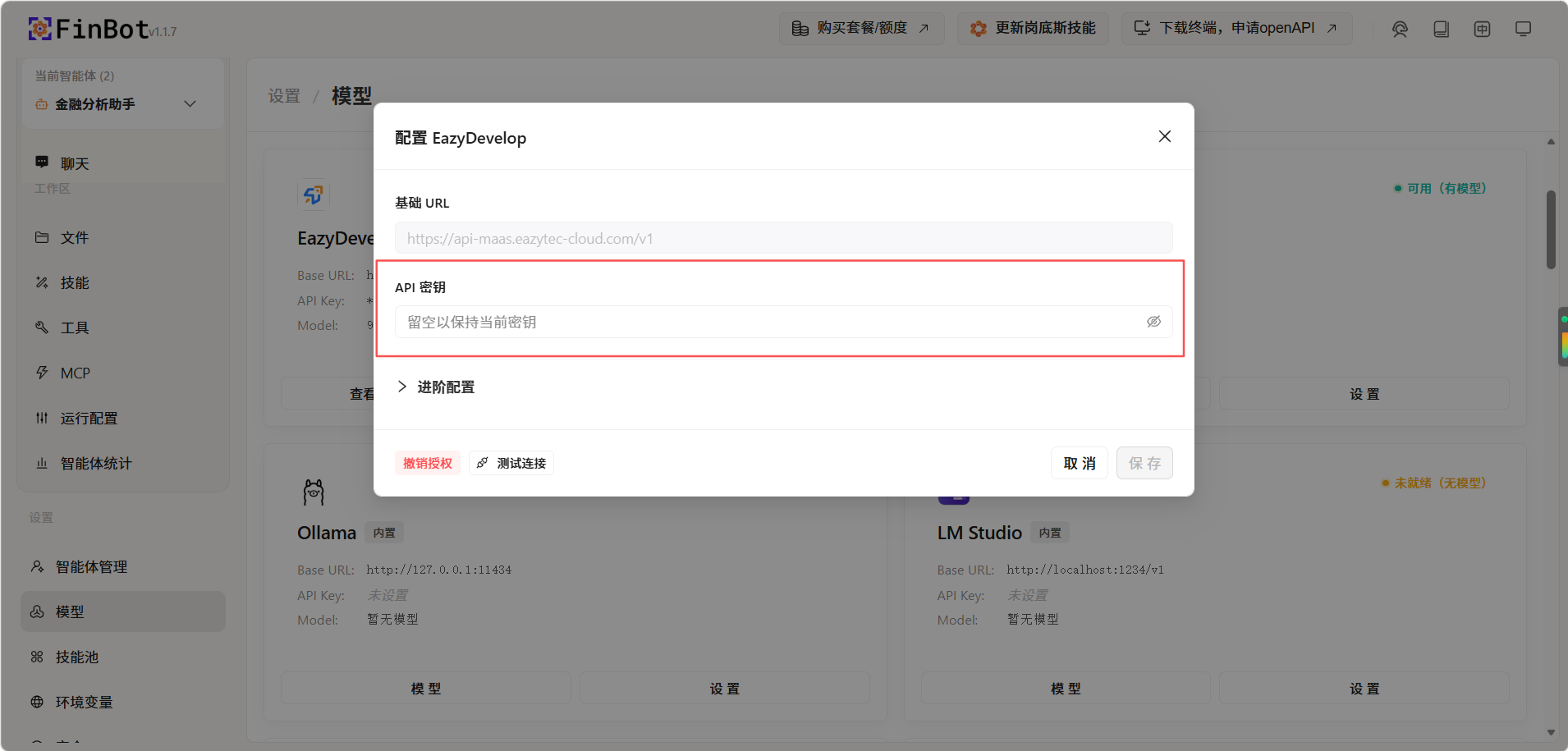
In FinBot, select Model on the left. The built-in EazyDevelop model provider is available. Click Settings and enter your API key.
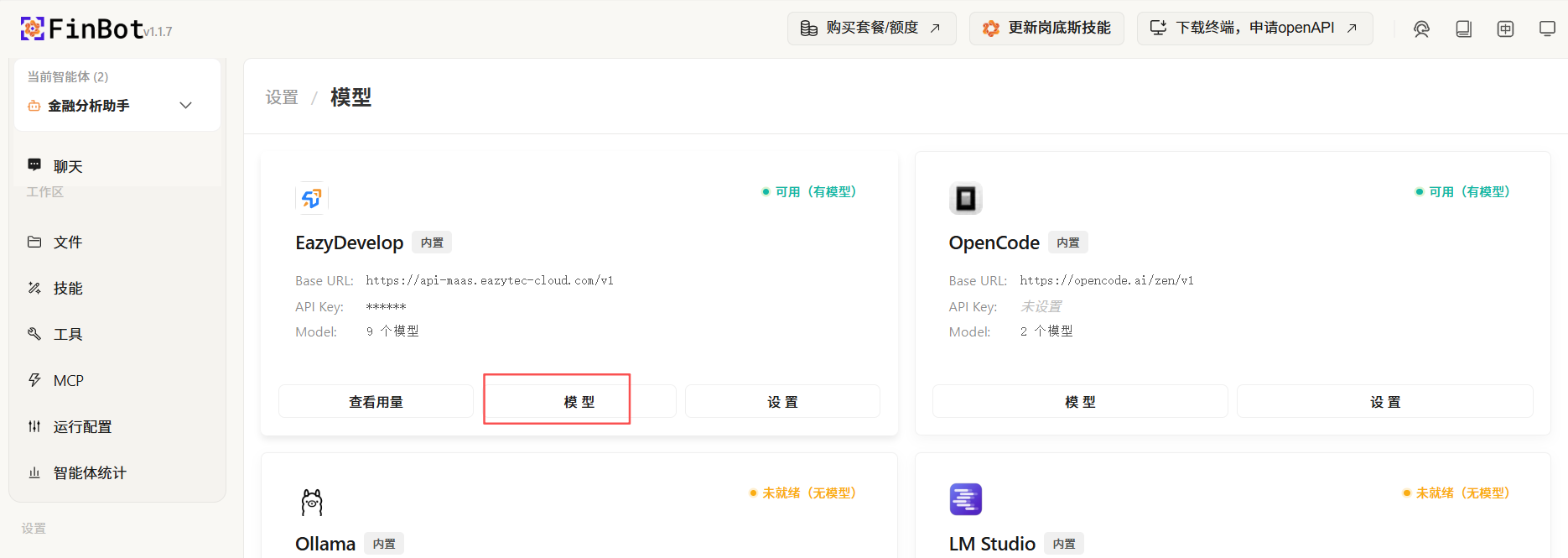
Click the "Models" button below the configured provider:
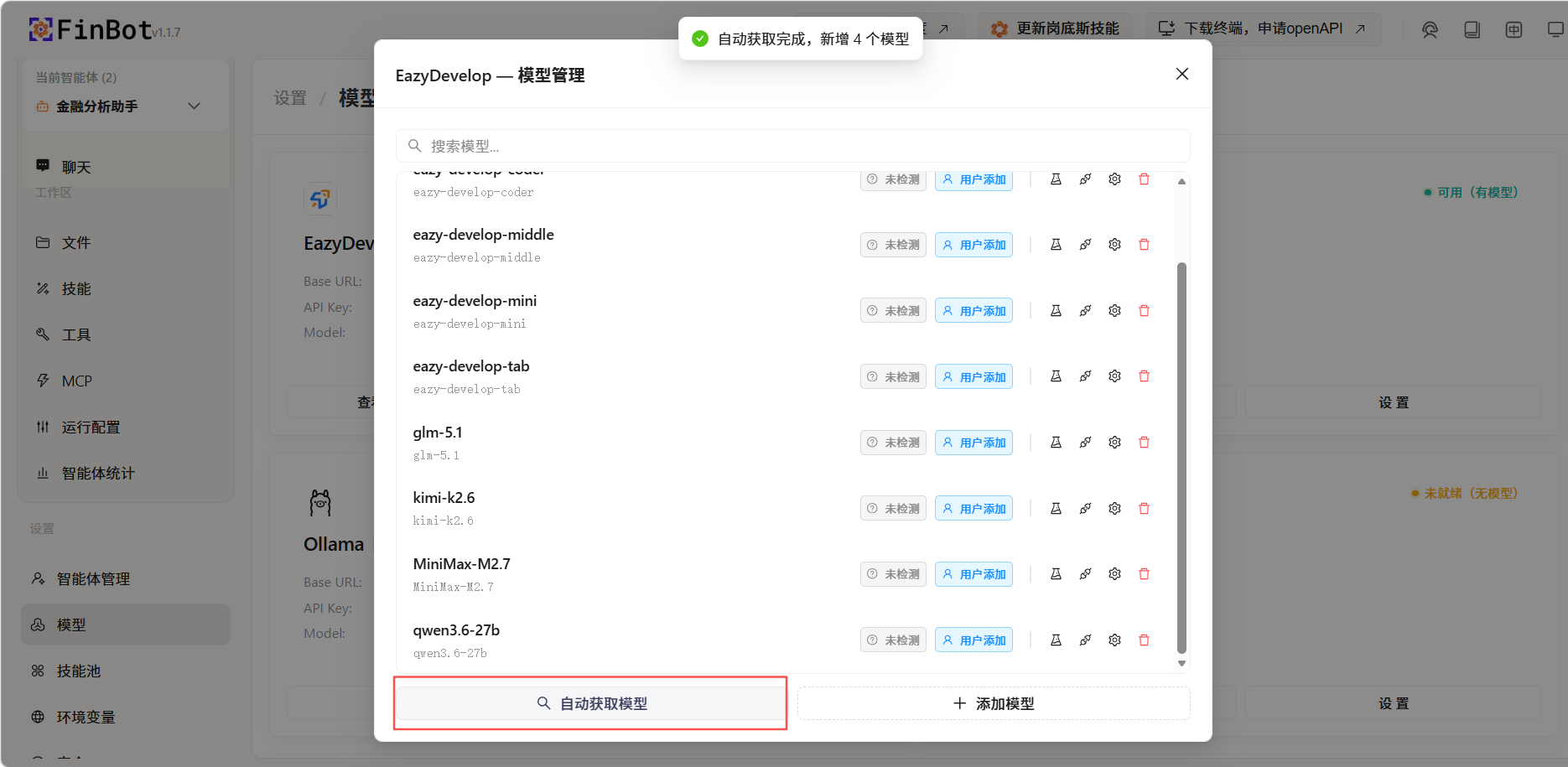
Click Auto-fetch Models to automatically retrieve the models enabled in EazyDevelop.
To integrate other providers, find the corresponding provider and add models, or create a custom provider.